

Compress PDF Online Free – Reduce PDF File Size
Compress PDF
Reduce PDF file size while maintaining quality.
Drag & drop files here or click to browse
Compress PDF Online Free – Reduce PDF File Size Quickly
Compress PDF online free with our secure PDF compressor. Reduce PDF file size in seconds to make documents easier to upload, email, store, and share while preserving readability and formatting whenever possible.
Compress PDF Online Free: Quick Answer
Compress PDF online free using our PDF compressor to reduce PDF file size for email attachments, online forms, cloud storage, and document sharing. PDF compression optimizes images, fonts, and document structure to create smaller files while maintaining readability and layout quality.
Need to reduce the size of a large PDF file? Our free PDF compressor helps you shrink PDF documents online while keeping the quality of your text, images, and layouts intact.
Large PDF files can cause upload problems, slow downloads, exceed attachment limits, and take unnecessary storage space. Compressing your PDF makes it faster and easier to share.
How PDF Compression Works
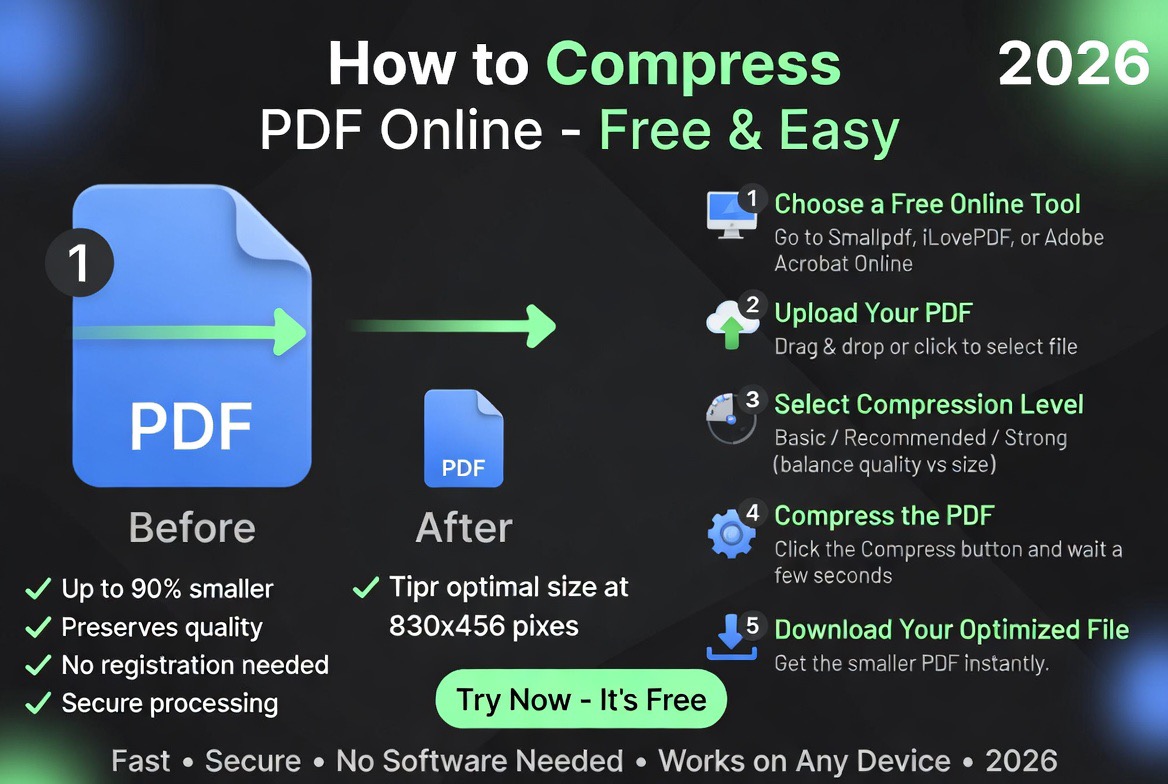
PDF compression reduces file size by optimizing images, removing unnecessary metadata, compressing embedded fonts, and restructuring document data. The result is a smaller PDF that is faster to upload, download, and share.
For more document productivity tools, explore our guide to the best PDF tools in 2026.
Why Compress a PDF File?
PDF files are widely used because they preserve formatting across devices. However, documents containing high-resolution images, scanned pages, graphics, or embedded content can become very large.
PDF compression reduces file size by optimizing the internal structure of the document while keeping it usable.
Related tools:
Common reasons to compress PDF files include:
- Reducing email attachment size
- Uploading documents to websites
- Submitting online applications
- Saving storage space
- Improving download speed
- Sharing documents faster
- Optimizing business files
- Managing large document libraries
PDF Before and After Compression
| Feature | Large PDF | Compressed PDF |
|---|---|---|
| File Size | Large | Reduced |
| Upload Speed | Slow | Faster |
| Email Sharing | Limited | Easier |
| Storage Usage | Higher | Lower |
| Document Quality | Original | Optimized |
The goal of PDF compression is not simply making a smaller file. A good compressor balances size reduction with document readability.
How to Compress PDF Online
Reducing PDF file size takes only a few steps:
- Upload your PDF document.
- Click the Compress button.
- Wait while the file is optimized.
- Download the smaller PDF file.
- Share or upload your compressed document.
The entire process works directly in your browser without requiring additional software.
How Much Can a PDF Be Compressed?
The amount of compression depends on the content inside the PDF. Text-heavy documents often achieve modest reductions, while image-heavy PDFs and scanned documents can shrink significantly.
| PDF Type | Typical Compression Potential |
|---|---|
| Text Documents | 10%–40% |
| Reports with Images | 20%–60% |
| Scanned PDFs | 40%–80% |
| Image-Heavy PDFs | 50%–90% |
When Should You Compress a PDF?
You should compress a PDF whenever a document is too large to upload, exceeds email attachment limits, consumes excessive storage space, or downloads slowly. Compression is particularly useful for scanned documents, reports with images, business proposals, forms, and application files.
Benefits of Compressing PDF Files
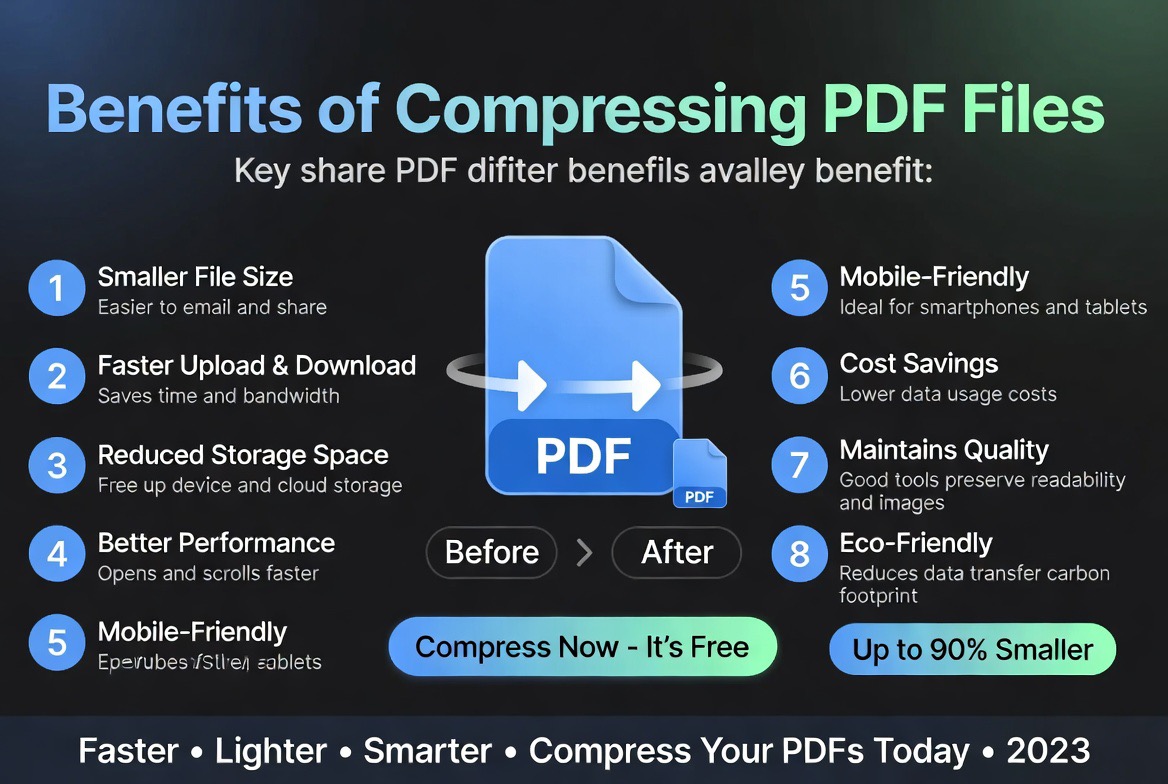
1. Faster Uploads
Smaller PDF files upload faster to websites, cloud storage platforms, and online forms.
2. Easier Email Sharing
Many email services have attachment size limits. Compressing PDFs helps you send documents without size restrictions becoming a problem.
3. Save Storage Space
Reducing the size of large document collections can free up valuable storage space on computers and cloud platforms.
4. Better User Experience
Smaller files download faster, especially for users with slower internet connections or mobile devices.
5. Improve Document Management
Organizations handling thousands of files can reduce storage costs by optimizing PDF documents.
Who Uses PDF Compression Tools?
- Businesses
- Students
- Job applicants
- Government organizations
- Legal professionals
- Designers
- Publishers
- Freelancers
- Researchers
- Administrative teams
Anyone who regularly works with PDF documents can benefit from reducing unnecessary file size.
Common PDF Compression Use Cases
Online Applications
Many government, education, and job application portals limit upload sizes. Compressing PDFs helps meet these requirements.
For choosing the right document type for applications, read our guide on the best file format for online applications.
Email Attachments
Large PDFs can exceed email limits. Compression makes documents easier to send and receive.
Business Documents
Companies often compress proposals, reports, invoices, and presentations before sharing them with customers and partners.
Scanned Documents
Scanned PDFs often contain large images. Compression helps reduce their size while keeping the content readable.
Archiving
Organizations can optimize document storage by compressing older files that are rarely accessed.
Expert Analysis: How PDF Compression Actually Helps
Based on our evaluation of common document workflows, PDF compression is one of the most practical tools for everyday file management.
Many users keep unnecessarily large PDFs because modern devices have plenty of storage. However, file size still matters when uploading documents, sharing files, or working with online systems.
A well-optimized PDF can significantly improve workflow efficiency without changing the purpose of the document.
The best compression approach reduces unnecessary data while keeping important elements such as text clarity, page structure, and images readable.
Lossless vs Lossy PDF Compression
| Compression Type | Description | Best For |
|---|---|---|
| Lossless Compression | Reduces size without removing information | Text documents and reports |
| Lossy Compression | Reduces size by optimizing images | Image-heavy PDFs |
Text-based documents usually compress very well. PDFs containing many images often achieve larger reductions because image optimization has the biggest impact on file size.
PDF Compression vs Recreating the Document
| Factor | Compression | Recreating File |
|---|---|---|
| Time Required | Seconds | Hours |
| Formatting Preservation | Excellent | Variable |
| Effort | Low | High |
| Practicality | Excellent | Poor |
Security and Privacy Considerations
When compressing documents online, choose tools that securely process uploaded files and automatically remove documents after completion.
This is especially important for PDFs containing contracts, financial records, personal documents, or confidential information.
Learn more about online document safety in our guide: Are Online PDF Tools Safe?
Related PDF Tools
- PDF to Word Converter
- PDF to Excel Converter
- Merge PDF Online
- Convert PDF Documents Online
- Free PDF Tools Comparison
- Best Free PDF Tools
- AI vs Traditional PDF Tools
- Smallpdf Alternatives
- iLovePDF Alternatives
- Reduce PDF file size quickly
Compress PDF vs ZIP File Compression
| Feature | PDF Compression | ZIP Compression |
|---|---|---|
| Reduces PDF Size | Yes | Limited |
| Maintains PDF Format | Yes | Yes |
| Better for Sharing | Excellent | Good |
| Works with Online Forms | Yes | No |
Frequently Asked Questions
Is PDF compression free?
Yes. You can reduce PDF file size for free using our online PDF compressor.
Will compression reduce PDF quality?
The amount of quality change depends on the compression method. Most documents remain clear and readable after optimization.
Can I compress large PDFs?
Yes. Large PDF files can be optimized to reduce their size and improve sharing.
Does compression remove pages from a PDF?
No. PDF compression reduces file size while keeping the document content intact.
Why is my PDF file so large?
Large PDFs are often caused by high-resolution images, scanned pages, embedded fonts, or unnecessary document data.
Is online PDF compression safe?
Yes, when using trusted tools that securely process and remove uploaded files after completion.
How do I reduce PDF file size without losing quality?
Use a PDF compressor that optimizes images, removes unnecessary metadata, and restructures the document while preserving readability and formatting.
What is the best PDF compressor online?
The best PDF compressor depends on your needs, but a good tool should reduce file size quickly, maintain quality, and securely process documents.
Can I compress a PDF for email?
Yes. PDF compression helps reduce attachment sizes so documents can be sent through email services with file size limits.
How do I compress a PDF below 1 MB?
Compressing image-heavy PDFs and scanned documents can often reduce file size below specific limits such as 1 MB, depending on the original document.
Why Trust Our PDF Compression Tool?
Our PDF compression tool is designed to help users reduce PDF file size quickly while maintaining document readability. Whether you need to upload forms, send email attachments, store documents, or optimize business files, compression helps improve efficiency without requiring additional software.
We regularly evaluate document workflows, file formats, and PDF optimization techniques to ensure our tools remain practical, secure, and easy to use.
How do I compress a PDF without software?
You can compress a PDF directly in your browser using an online PDF compressor without installing additional software.
Can I compress a PDF on my phone?
Yes. Most online PDF compression tools work on Android phones, iPhones, tablets, and desktop computers.
What is the maximum PDF size I can compress?
Maximum file size depends on the PDF compression tool and upload limits supported by the platform.
Final Thoughts
Compress PDF online free to reduce PDF file size, improve upload speeds, save storage space, and simplify document sharing. Whether you’re submitting applications, sending email attachments, storing business records, or managing scanned documents, PDF compression is one of the easiest ways to optimize your workflow.
Use the PDF compressor above to shrink PDF files quickly while preserving document quality and formatting.
More PDF Tools
- PDF to Word
- Word to PDF
- PDF to Excel
- Excel to PDF
- PDF to JPG
- Image to PDF
- Merge PDF
- Split PDF
- Protect PDF
- Unlock PDF