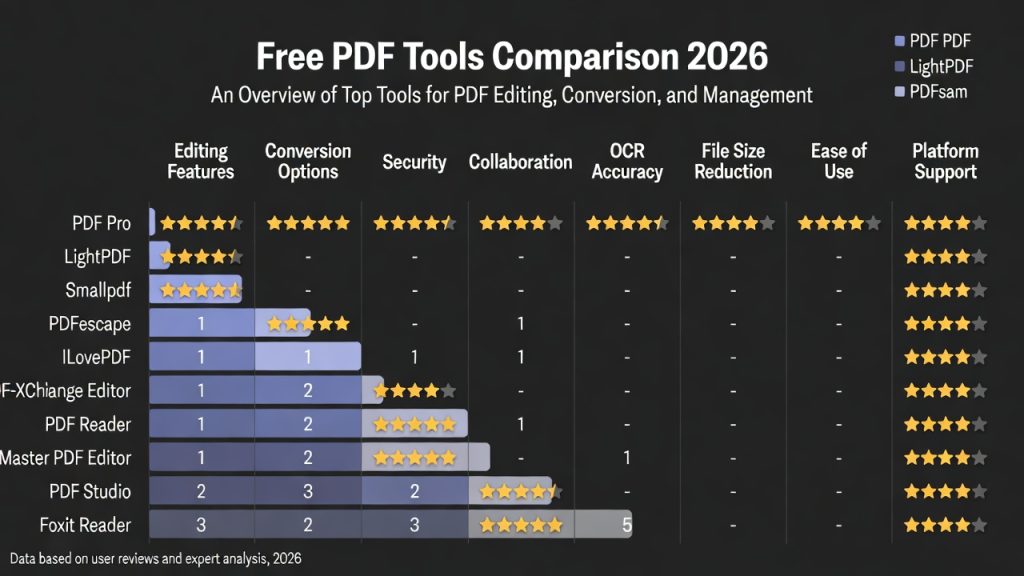
Free PDF Tools Comparison 2026: Online vs Desktop Software Explained
Free PDF tools comparison 2026 searches are growing rapidly as users reconsider whether traditional desktop software is still necessary for everyday document tasks. Over the last few years, browser-based PDF platforms have evolved from simple utilities into powerful productivity ecosystems capable of compressing, converting, editing, and managing documents entirely online.
As explained in our best PDF tools 2026 guide, modern workflows increasingly prioritize speed, accessibility, and collaboration — areas where online tools now outperform legacy software for most users.

This in-depth comparison explores how free online PDF tools stack up against desktop applications in 2026, helping you choose the right solution based on performance, security, flexibility, and real-world usage scenarios.
Why Free PDF Tools Matter More Than Ever
PDF documents remain the universal standard for sharing information. From resumes and invoices to academic papers and government forms, PDFs ensure formatting consistency across devices.
However, workflows rarely end with viewing a document. Users frequently need to:
- Compress files for email submission
- Convert PDFs into editable formats
- Merge or split documents
- Optimize files for uploads
- Edit content quickly
Historically, these tasks required expensive desktop software licenses. In 2026, free tools increasingly deliver similar capabilities through cloud infrastructure.
Convert PDF to Word Online Free
Online PDF Tools vs Desktop Software
The biggest decision users face today is whether to rely on browser-based tools or install dedicated applications.
Online PDF Tools
- No installation required
- Accessible from any device
- Automatic feature updates
- Cloud-powered processing
- Simple interfaces designed for speed
Online platforms focus on efficiency. Users upload files, complete tasks instantly, and download optimized results without managing software.
Desktop Software
- Works offline
- Advanced editing capabilities
- Deep document customization
- Local processing control
Desktop applications remain valuable for specialized professional editing but are often unnecessary for everyday tasks.
Feature-by-Feature Comparison
| Feature | Online PDF Tools | Desktop Software |
|---|---|---|
| Installation | Not required | Required |
| Device Access | Any browser | Single device |
| Updates | Automatic | Manual |
| Cost | Often free | Usually paid |
| Processing Speed | Cloud optimized | Hardware dependent |
| Collaboration | Easy sharing | Limited |
| Offline Access | No | Yes |
This comparison highlights why online tools dominate everyday usage while desktop software serves niche professional needs.
Performance Trends in 2026
Cloud computing improvements have dramatically changed expectations around performance.
In earlier years, desktop software was faster because files were processed locally. Today, distributed cloud servers handle tasks simultaneously using optimized infrastructure.
Key performance trends include:
- Instant compression using server-side optimization
- AI-powered document recognition
- Faster conversions through parallel processing
- Reduced device resource usage
Even low-powered smartphones can now process complex documents quickly because computation happens remotely.
Cost Comparison: Free vs Paid Ecosystems
Cost remains one of the biggest factors influencing adoption.
Online Tools
- Free tiers available
- No license purchases
- No upgrade fees
- Pay only for advanced features (optional)
Desktop Software
- High upfront purchase costs
- Subscription licensing
- Paid upgrades
- Device limitations
For students, freelancers, and small businesses, free online tools dramatically reduce operational costs.
Security and Privacy Considerations
A common concern is whether online tools are secure.
Modern platforms now implement enterprise-level protections:
- Encrypted file transfers (HTTPS)
- Temporary cloud storage
- Automatic file deletion
- No long-term retention policies
In many cases, these safeguards exceed how individuals manage files locally on personal devices.
Desktop tools still offer advantages for highly confidential offline environments, but for everyday documents, online platforms provide strong protection.
Who Should Use Online PDF Tools?
Online solutions are ideal for users who prioritize convenience and speed.
Students
- Submit assignments quickly
- Compress large lecture files
- Convert study materials
Freelancers
- Edit client documents instantly
- Send optimized deliverables
- Work across multiple devices
Remote Teams
- Collaborate globally
- Avoid software installations
- Maintain consistent workflows
Job Seekers
Applicants frequently compress resumes or convert certificates before uploading to recruitment portals.
Who Still Needs Desktop PDF Software?
Despite rapid cloud adoption, desktop tools remain useful for specific professionals:
- Graphic designers editing layouts extensively
- Legal professionals requiring deep annotation tools
- Organizations with strict offline policies
- High-volume batch processing environments
These use cases represent a smaller segment compared to everyday document users.
Real Workflow Example (2026)
A typical modern workflow might look like this:
- Create document in Word
- Export as PDF
- Compress file for sharing
- Email or upload submission
- Convert back to Word if edits are needed
Each step can now be completed using online tools without installing software.
For example, users often combine this process with guides like:
Advantages Driving the Shift to Online Tools
1. Mobility
Work no longer happens on a single computer. Online tools follow users everywhere.
2. Continuous Improvement
Cloud platforms deploy updates instantly without requiring downloads.
3. Simplicity
Modern interfaces remove complexity, allowing non-technical users to complete tasks easily.
4. Speed
Automation and AI reduce multi-step workflows into single-click actions.
Limitations of Free PDF Tools
Although powerful, free tools may include:
- File size limits
- Daily usage caps
- Limited advanced editing
However, for most users performing routine tasks, these limits rarely affect productivity.
The Future of PDF Tools
The distinction between online and desktop tools is gradually disappearing.
Future developments likely include:
- AI-assisted document editing
- Real-time collaboration inside PDFs
- Automatic workflow automation
- Smart file optimization suggestions
Rather than replacing desktop software entirely, cloud platforms are redefining how documents move through digital workflows.
Related Guides
FAQs
Are free PDF tools reliable?
Yes. Many modern platforms deliver enterprise-level performance using cloud infrastructure and AI optimization.
Do online tools replace desktop apps?
For most everyday users, online tools fully replace desktop software. Professionals with advanced editing needs may still prefer dedicated applications.
Which option is fastest?
Browser-based tools are often faster because processing occurs on optimized cloud servers rather than local hardware.
Are online PDF tools safe for sensitive documents?
Trusted platforms use encryption and automatic deletion policies to protect user files.
What is the best option for beginners?
Online tools provide the easiest learning curve and require no installation or technical setup.
Free Online PDF Tools FAQs – 2026 Edition
Up-to-date, practical answers for anyone exploring free PDF tools. Covering reliability, speed vs. desktop apps, safety for sensitive files, beginner ease, and top recommendations from trusted platforms like Smallpdf, iLovePDF, PDF24, Adobe Acrobat Online, PDFgear, and PDF Candy.
Are free PDF tools reliable?
Yes, many free PDF tools in 2026 deliver enterprise-level performance, reliability, and features thanks to cloud infrastructure, AI optimization, and regular updates from trusted providers. Tools like PDF24 Tools (completely free, no limits), PDFgear (unlimited editing including text modification), Smallpdf, iLovePDF, PDF Candy, and Adobe Acrobat Online handle compression, conversion, editing, merging, and OCR with high accuracy and minimal downtime. They often match or exceed paid alternatives for everyday tasks, with millions of users relying on them daily. Reliability shines in consistent output quality, fast processing, and no unexpected crashes—though free tiers may have daily limits (e.g., Smallpdf: 2 tasks/day). For heavy use, premium upgrades remove restrictions, but core free versions remain dependable and watermark-free in reputable options.
Do online tools replace desktop apps?
For most everyday users in 2026, yes—online PDF tools fully replace desktop software for common tasks like viewing, compressing, converting, merging, signing, and basic editing. Browser-based options (Smallpdf, iLovePDF, PDF24 online, Adobe Acrobat Online) offer instant access across devices, no installation, automatic updates, and cloud-powered speed. They excel in collaboration and quick workflows. However, professionals with advanced needs—such as heavy batch processing, complex redaction, precise OCR on large scanned docs, offline work, or strict data control—may still prefer dedicated desktop apps (PDF24 Creator for Windows, PDFgear desktop, Foxit, or Adobe Acrobat Pro). Online tools handle 80-90% of use cases efficiently; desktop wins for power users needing maximum customization, no internet dependency, or enhanced security via local processing.
Which option is fastest?
Browser-based online PDF tools are often the fastest in 2026 because processing happens on powerful, optimized cloud servers rather than your local hardware—especially for compression, conversion, and editing large files. Upload speed depends on your internet, but once uploaded, tasks complete in seconds (e.g., Smallpdf or iLovePDF compress a 50MB file almost instantly). Desktop apps can lag on older/slower machines due to CPU/RAM limits, while cloud tools leverage distributed servers for parallel processing and AI acceleration. For quick, one-off tasks, online wins hands-down; desktop may feel snappier for repeated local edits on powerful hardware. Top fast performers: PDF24 Tools, PDF Candy, and Adobe Acrobat Online. Always choose ‘balanced’ modes for optimal speed without quality trade-offs.
Are online PDF tools safe for sensitive documents?
Trusted online PDF tools in 2026 are generally safe for everyday and moderately sensitive documents when you select reputable platforms with strong security: 256-bit SSL/TLS encryption for uploads/transfers, end-to-end encryption, automatic file deletion (usually within minutes to hours after processing), GDPR/HIPAA compliance, and transparent privacy policies.
Examples include Adobe Acrobat Online (deletes immediately), Smallpdf (1-hour deletion), PDF24 Tools (no long-term storage), iLovePDF, and PDFgear. For highly sensitive files (financials, medical records, contracts, IDs), risks remain—avoid unknown sites due to potential malware, data leaks, or metadata exposure. Best practice: Use offline/desktop tools (PDFgear, PDF24 Creator) for maximum control, or browser-only/local-processing options. Check privacy policies, enable 2FA where available, and never upload ultra-confidential data without verification. Secure tools minimize risks effectively for most users.
What is the best option for beginners?
Online PDF tools offer the easiest learning curve for beginners in 2026—no installation, no technical setup, intuitive drag-and-drop interfaces, and instant results from any device. Top beginner-friendly picks: Smallpdf (clean, guided interface, great for compression/conversion), iLovePDF (simple tools with previews), PDF Candy (straightforward, beginner tutorials), Adobe Acrobat Online (familiar brand, step-by-step guidance), and PDF24 Tools (free, no sign-up needed).
They require zero learning for basic tasks—upload, click a button, download. Avoid complex desktop apps initially unless you need offline access. Free tiers are generous, with clear limits explained upfront. Beginners appreciate the no-commitment trial feel, quick results, and built-in help/tooltips that make PDF management approachable and stress-free.

Leave a reply