
MCP (Model Context Protocol) Explained: The Complete Beginner’s Guide (2026)
MCP (Model Context Protocol) explained in simple terms: MCP is an open protocol that gives AI applications a standardized way to discover and use external tools, data, and capabilities. Instead of creating a completely different integration pattern for every AI application, developers can expose capabilities through MCP servers that clients can discover and use through a common protocol.
Quick Answer: What Is Model Context Protocol (MCP)?
Model Context Protocol (MCP) is an open protocol that standardizes how AI applications connect to external tools, data sources, and services. An MCP server can expose capabilities such as database queries, file access, API operations, documentation, or other application-specific functions, while an MCP client manages communication between the AI application and that server.
The important idea is simple: MCP does not replace APIs. Instead, it provides a standardized AI-facing layer for discovering and interacting with capabilities that may already exist behind APIs, databases, files, and business systems.
What Is Model Context Protocol?
Model Context Protocol (MCP) is an open protocol designed to connect AI applications with external data sources and tools through a common interface.
Think of MCP as a standard adapter layer between an AI application and the systems it needs to work with.
For example, an AI coding assistant might need to read files, inspect a Git repository, query documentation, or run a development tool. Rather than implementing a completely different integration mechanism for every capability, the application can communicate with MCP servers that expose those capabilities in a standardized way.
Why MCP Matters in 2026
AI models are becoming much better at reasoning, but reasoning alone does not make an AI application useful in the real world.
An AI assistant that can only generate text is limited. A useful production assistant may need to search a knowledge base, inspect a customer’s account, retrieve a document, query a database, create a support ticket, or call an internal business service.
That creates an integration problem.
Historically, developers solved it by writing custom integrations between the AI application and each external system. That works, but the approach becomes increasingly expensive as the number of tools grows.
MCP introduces a common protocol for this AI-to-system communication. Instead of treating every integration as a completely separate engineering problem, developers can build around reusable MCP clients and servers.
- Standardizes AI-to-tool communication
- Encourages reusable integrations
- Separates AI applications from individual backend implementations
- Supports controlled access to tools and resources
- Makes capabilities easier to discover
- Provides a common foundation for local and remote integrations
- Can reduce long-term integration and maintenance work
The ecosystem is also becoming more formalized. The MCP project is now hosted by the Linux Foundation, and the ecosystem includes official SDKs and a server registry intended to improve discovery and interoperability.
How MCP Changes AI Application Development
Without a standard protocol, an AI application may need individual integration logic for every database, SaaS platform, file repository, API, or internal application it needs to use.
Imagine building an AI assistant for a company that needs access to:
- PostgreSQL
- Git repositories
- Company documentation
- Customer records
- Cloud storage
- Internal APIs
- Project management software
Each system has its own authentication model, API conventions, data structures, permissions, and failure modes.
MCP does not magically eliminate those differences. What it does is establish a consistent protocol boundary between the AI application and the capabilities being exposed.
That distinction is important. MCP standardizes the AI-facing integration layer; it does not make every backend identical.
How Model Context Protocol Works
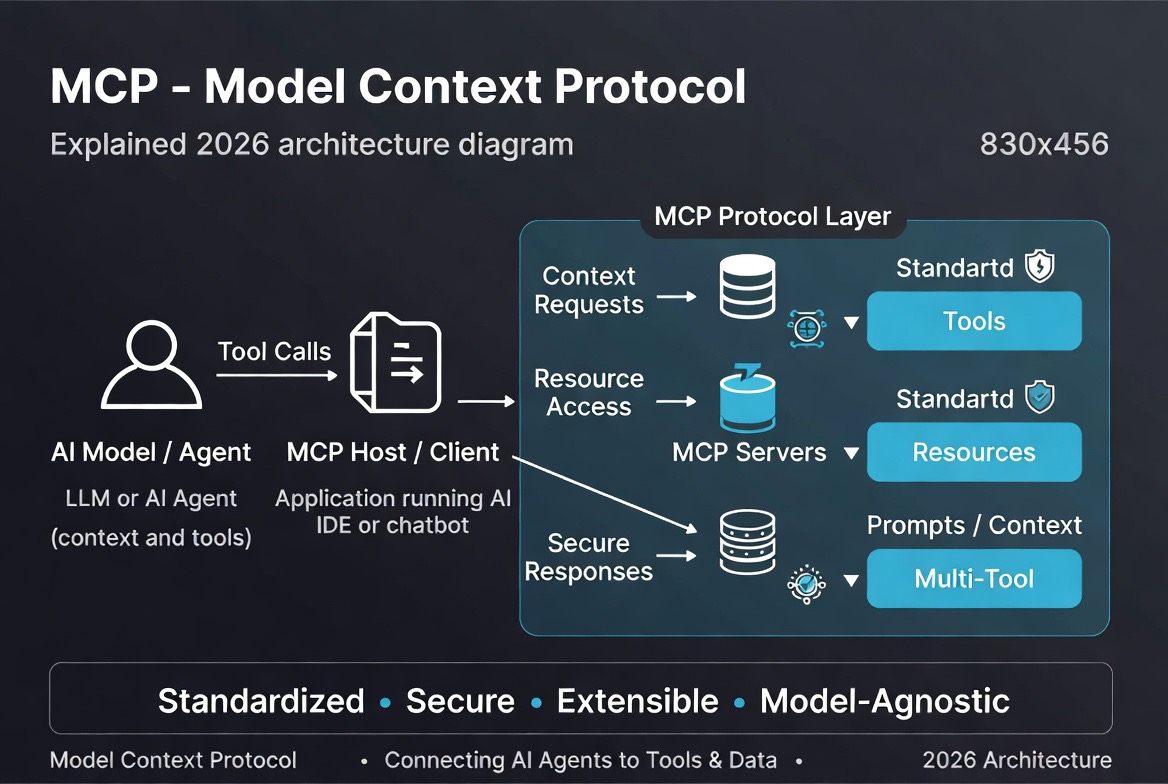
MCP uses a host-client-server architecture. The three terms are easy to confuse, so it is worth understanding what each one actually does.
MCP Host
The MCP host is the AI application that coordinates the overall interaction.
For example, an AI coding application, desktop assistant, or enterprise AI product can act as the host. The host manages MCP clients, user permissions, AI interaction, and the overall application experience.
MCP Client
An MCP client is the component that maintains the connection between the host application and a particular MCP server.
A host can manage multiple clients, with each client maintaining its own server connection and negotiated capabilities.
MCP Server
An MCP server exposes specific capabilities to the client. These capabilities can include tools, resources, and prompt templates.
An MCP server does not necessarily contain an AI model. It can simply act as a controlled interface to an existing system such as a database, filesystem, API, or enterprise application.
The official architecture documentation emphasizes this separation: hosts coordinate the AI experience and security boundaries, clients manage individual server connections, and servers expose focused capabilities.
MCP Architecture Explained
| Component | Role |
|---|---|
| MCP Host | The AI application that coordinates users, models, clients, permissions, and context. |
| MCP Client | Maintains communication with a specific MCP server and handles protocol negotiation. |
| MCP Server | Exposes tools, resources, prompts, or other capabilities to the client. |
| External System | The underlying database, API, filesystem, SaaS platform, repository, or business application. |
A simplified flow looks like this:
- The user asks the AI application to perform a task.
- The host determines what capabilities are available.
- The MCP client communicates with the appropriate MCP server.
- The server exposes or executes the requested capability.
- The result is returned to the AI application.
- The AI uses the result as part of the broader task.
The key architectural advantage is separation. An MCP server can focus on exposing one well-defined capability without needing to understand the entire conversation happening inside the host.
The Three Core MCP Primitives
MCP servers can expose three particularly important primitives: tools, resources, and prompts. They serve different purposes.
1. Tools
Tools are executable capabilities that allow an AI application to perform actions or retrieve information.
Examples include:
- Querying a database
- Creating a support ticket
- Searching a repository
- Calling an API
- Writing a file
- Running a calculation
Tools are particularly important for AI agents because they allow the model to move from generating an answer to actually doing something.
The current MCP specification also treats tool use as a security-sensitive operation. Implementations are encouraged to provide users with visibility and control over tool invocations, particularly when actions can have meaningful consequences.
2. Resources
Resources provide data or contextual information to the AI application.
Examples include:
- Files
- Database schemas
- Documentation
- Repository information
- Application-specific data
Resources are different from tools because they are primarily about providing context rather than performing an action. MCP resources are identified using URIs and can contain text or binary data.
3. Prompts
Prompts are reusable templates or instructions that MCP servers can expose to clients.
For example, a server could provide a prompt template for reviewing a software module, analyzing a customer record, or preparing a particular type of report.
Prompts are intended to provide structured interaction patterns rather than acting as general-purpose tool calls.
MCP vs Traditional API Integrations
This is one of the most important distinctions for beginners: MCP and APIs are not competing technologies.
An API defines how software systems communicate. MCP defines a standardized protocol for AI applications to discover and interact with capabilities exposed through MCP servers.
| Feature | MCP | Traditional API |
|---|---|---|
| Primary purpose | Standardized AI-facing access to capabilities | General software-to-software communication |
| Designed specifically for AI? | Yes | No |
| Replaces the backend API? | No | Not applicable |
| Tool discovery | Built into the protocol model | Depends on API documentation and implementation |
| Resources/context | First-class concept | Depends on API design |
| Integration approach | Standardized protocol layer | Service-specific implementation |
In practice, an MCP server may sit in front of an existing API rather than replacing it.
MCP vs Function Calling
MCP is also frequently confused with function calling. They solve related but different problems.
Function calling allows an AI model to produce a structured request for a function exposed by an application. The application then executes that function.
MCP goes further by defining a standardized protocol and architecture for discovering and interacting with capabilities across hosts, clients, and servers.
| Capability | MCP | Function Calling | Traditional API |
|---|---|---|---|
| AI-oriented | Yes | Yes | Not specifically |
| Standard protocol | Yes | Provider/application dependent | Depends on API |
| Tool discovery | Yes | Usually application-defined | Usually documentation-defined |
| Resources | Yes | Not inherently | Depends on API |
| Cross-application interoperability | Core objective | Limited by implementation | Varies |
A useful mental model is:
API = how software exposes functionality.
Function calling = how an AI model can request a function through an application.
MCP = a standardized protocol for AI applications to discover and interact with external capabilities.
MCP Communication and Transports
MCP uses JSON-RPC for protocol messages and supports different transport mechanisms depending on how the client and server are deployed.
STDIO
STDIO is commonly used when the MCP client launches the server locally as a subprocess. It is particularly useful for local developer tools and desktop applications.
Streamable HTTP
Streamable HTTP is designed for remote MCP servers and web-based deployments. It is the important transport to understand when building production remote MCP infrastructure.
Older MCP documentation and tutorials may mention HTTP+SSE as a primary remote transport. That information is increasingly outdated: the 2026 MCP specification direction treats the legacy HTTP+SSE transport as deprecated in favor of Streamable HTTP.
| Transport | Typical Use |
|---|---|
| STDIO | Local processes and desktop/developer applications |
| Streamable HTTP | Remote MCP servers and networked deployments |
Developers should avoid blindly copying older MCP tutorials that recommend WebSockets or legacy SSE as though they were current MCP standards. Always check the specification version used by the SDK or client you are implementing.
MCP Security and Permissions
MCP makes controlled access possible, but MCP itself does not automatically make an integration secure.
This distinction matters enormously in enterprise environments.
An MCP server may expose a tool that can read customer records, modify a database, delete files, send messages, or perform financial operations. Giving an AI access to that tool is therefore an authorization decision, not simply a technical configuration.
A secure MCP deployment should consider:
- Authentication
- Authorization
- Least-privilege permissions
- Credential isolation
- Input validation
- Output validation
- Tool-level access controls
- Rate limiting
- Audit trails
- Network isolation
- Secret management
- Human approval for high-risk actions
The MCP specification has continued to strengthen its authorization model. Recent specification work includes improvements around authorization-server discovery, token handling, issuer validation, and protection against authorization mix-up scenarios.
Prompt Injection Is Still a Problem
MCP does not eliminate prompt injection.
If an AI can access external content through MCP, that content may contain instructions designed to manipulate the model. A malicious document, webpage, database record, or tool result could potentially influence subsequent model behavior.
That means developers should treat external content as untrusted input, especially when the AI has permission to execute consequential actions.
For high-risk workflows, the safest architecture is usually not “let the model do everything.” Instead, use narrowly scoped tools, explicit authorization boundaries, validation, monitoring, and human approval where appropriate.
Real-World MCP Use Cases
Customer Support
An AI support assistant could use MCP to search a knowledge base, retrieve customer information, inspect previous support interactions, and create or update tickets.
Software Development
A coding assistant can use MCP-connected capabilities to inspect repositories, search documentation, work with project files, and interact with development systems.
Enterprise Search
Organizations can expose selected internal documentation and business information to AI applications while keeping access boundaries around the underlying systems.
Business Intelligence
An AI assistant could retrieve information from approved data sources, run analytical queries, and turn results into human-readable reports.
Workflow Automation
AI agents can use tools exposed through MCP to interact with business applications and coordinate multi-step workflows.
MCP Use Cases by Industry
Healthcare
MCP could provide controlled access to approved healthcare systems, scheduling platforms, documentation, and other information sources. Because healthcare data is highly sensitive, authentication, authorization, auditing, and regulatory controls remain essential.
Financial Services
Financial organizations could use MCP to connect AI applications to approved reporting systems, analytics platforms, transaction information, and compliance workflows.
Customer Service
Support organizations can connect AI assistants to CRM systems, ticketing platforms, knowledge bases, and internal documentation.
Software Development
Development teams can expose repositories, documentation, testing systems, issue trackers, and other development capabilities through MCP-compatible interfaces.
Marketing
Marketing teams could connect AI applications to analytics systems, content platforms, campaign data, and reporting tools.
Legal
Legal teams could use controlled MCP integrations to search approved document repositories, retrieve case information, and assist with document analysis.
How to Build Your First MCP Server
Building an MCP server is easier if you start with one narrowly defined capability instead of attempting to expose an entire application at once.
- Choose an MCP SDK. Select a language supported by the MCP ecosystem.
- Create the server. Set up the project and MCP server lifecycle.
- Define focused capabilities. Expose specific tools, resources, or prompts.
- Define input and output schemas. Make tool contracts explicit and predictable.
- Implement authentication and authorization. Do not treat this as an optional production step.
- Connect your backend. Integrate the database, API, filesystem, or business service.
- Test with an MCP client or Inspector. Verify discovery, permissions, errors, and outputs.
- Deploy securely. Protect credentials and network access.
- Monitor and evaluate. Track tool usage, failures, latency, and security events.
The official MCP ecosystem provides SDKs for multiple languages, including TypeScript, Python, Java, C#, Go, Kotlin, PHP, Ruby, Rust, and Swift.
For beginners, the official MCP servers repository is also useful for studying reference implementations. The maintainers explicitly warn that these reference servers are educational examples rather than automatically production-ready components.
Common Mistakes When Learning MCP
- Thinking MCP replaces APIs. It does not.
- Exposing too many capabilities. Start with narrow, well-defined tools.
- Ignoring authorization. Tool availability should not automatically mean unrestricted access.
- Trusting tool descriptions blindly. Treat metadata and external content carefully.
- Skipping validation. Validate inputs and outputs before sensitive operations.
- Giving agents excessive permissions. Use least privilege.
- Ignoring destructive actions. Consider confirmation or human approval.
- Following outdated tutorials. MCP is evolving quickly, particularly around transports and authorization.
- Ignoring observability. Production AI systems need to explain what tools were called, when, and with what outcome.
- Building giant MCP servers. Smaller, focused servers are generally easier to secure and maintain.
Popular MCP Servers and Integrations
The MCP ecosystem has expanded beyond a handful of demonstrations. The official MCP project maintains reference servers and an ecosystem registry for published servers.
Reference implementations currently cover capabilities such as:
- Filesystem operations
- Git repositories
- Memory and knowledge-graph functionality
- Fetching web content
- Sequential thinking
- Time and timezone information
There are also community-built MCP servers and integrations for many other systems. However, developers should evaluate third-party servers carefully before connecting them to sensitive data or granting them write access.
The official reference-server repository specifically notes that its examples are intended for education and demonstration and should not automatically be treated as production-ready software.
Our Analysis: Why MCP Could Become a Major AI Infrastructure Standard
From an engineering perspective, MCP solves a problem that becomes more painful as AI applications become more capable: integration sprawl.
The more useful an AI agent becomes, the more systems it wants to access. That could mean Git, databases, CRMs, cloud storage, internal APIs, analytics platforms, documentation, communication tools, and dozens of other services.
Without a shared protocol, every AI platform has an incentive to build its own integration ecosystem. That creates duplicated engineering effort and makes portability harder.
MCP takes a different approach: define a common protocol and allow applications, clients, servers, and tool providers to participate in the same ecosystem.
That does not mean MCP will eliminate APIs or solve integration architecture by itself. It also does not mean every MCP server is automatically trustworthy.
Our view is more practical: MCP is valuable because it creates a common architectural boundary for AI-to-system interaction. If adoption continues across models, developer tools, enterprise software, and infrastructure vendors, that boundary could become an important part of the modern AI application stack.
The fact that the project is now hosted by the Linux Foundation and has an expanding SDK and server ecosystem makes the standard worth watching closely.
Should You Learn Model Context Protocol?
| Role | Recommendation | Why |
|---|---|---|
| AI Developer | ★★★★★ Essential | MCP is directly relevant to tool-enabled AI applications and agents. |
| Software Engineer | ★★★★★ Highly Recommended | Useful for building reusable AI-facing integrations. |
| DevOps Engineer | ★★★★☆ Recommended | Relevant to automation, infrastructure tools, and AI-enabled operations. |
| Enterprise Architect | ★★★★★ Essential | Useful for designing AI integration and governance strategies. |
| Data Engineer | ★★★★☆ Valuable | Relevant when AI applications need controlled access to data systems. |
| Business Leader | ★★★☆☆ Useful | Understanding MCP helps when evaluating AI integration strategies. |
The Future of Model Context Protocol
MCP is still evolving, which is important to remember when reading older tutorials or architecture diagrams.
The protocol is moving toward a more mature ecosystem with stronger authorization, better support for remote deployments, richer tool schemas, extensions, tasks, and improved interoperability.
The July 2026 specification work introduced or advanced several significant changes, including a more stateless protocol core, extensions as a first-class concept, MCP Apps, task support, authorization hardening, and a formal deprecation policy.
Some older features are also being deprecated. For example, Roots, Sampling, and Logging entered the deprecation process in the 2026 specification cycle.
That is a useful lesson for developers: learn the concepts, but always build against the current specification and SDK documentation.
Official MCP Resources
- Model Context Protocol Official Documentation
- Official MCP Specification
- MCP Specification and Documentation GitHub Repository
- Official MCP Servers Repository
- MCP Server Registry
- Build an MCP Server
Related Resources
Continue learning about AI agents and the technologies that support them:
- AI Agents for Business
- AI Agent Development Tools
- OpenAI Operator vs Manus Comparison
- AI Tools for Developers in 2026
- DevOps Automation Tools
Continue Learning About AI Agents
MCP is only one piece of the modern AI-agent stack. If you want to understand the bigger picture, start with our complete guide to AI agents for business, then explore AI agent development tools and the broader AI developer ecosystem.
Conclusion
This MCP Model Context Protocol explained guide comes down to one central idea: AI applications need a reliable way to interact with the systems that make them useful.
MCP provides a standardized protocol for that interaction. It allows AI applications to discover and use tools, resources, and prompts exposed by MCP servers without requiring every application to invent its own integration architecture.
But MCP is not a replacement for APIs, and it is not a security guarantee. Developers still need authentication, authorization, validation, monitoring, least-privilege access, and sensible human oversight for high-impact actions.
For developers building AI agents and AI-powered applications in 2026, MCP is worth learning because it addresses a very real engineering problem: how to connect increasingly capable AI systems to increasingly complex software environments without creating an integration mess.
FAQ: MCP (Model Context Protocol)
What is Model Context Protocol (MCP)?
Model Context Protocol (MCP) is an open protocol that standardizes how AI applications connect with external tools, data sources, and services through MCP clients and servers.
Why is MCP important for AI?
MCP provides a common integration layer for AI applications, making it easier to discover and interact with external capabilities without creating a completely different integration pattern for every application.
Who should learn MCP?
AI developers, software engineers, automation engineers, DevOps professionals, data engineers, enterprise architects, and teams building AI-powered applications can benefit from learning MCP.
Who created Model Context Protocol?
MCP was originally created by Anthropic and subsequently developed as an open ecosystem with contributions from the wider developer community. The MCP project is now hosted by the Linux Foundation.
Is MCP open source?
Yes. The MCP specification and official implementations are developed openly, with official SDKs, reference servers, and related tooling available through public repositories.
Does MCP replace APIs?
No. MCP does not replace APIs. It provides an AI-oriented protocol layer through which applications can interact with capabilities that may themselves be backed by APIs, databases, files, or other systems.
Which programming languages support MCP?
The MCP ecosystem provides SDKs and implementations for languages including TypeScript, Python, Java, C#, Go, Kotlin, PHP, Ruby, Rust, and Swift.
Can MCP work with ChatGPT?
MCP is an open protocol rather than a feature belonging to a single AI product. Whether MCP works with a particular AI application depends on that application’s current MCP support and integration capabilities.
Is MCP secure?
MCP provides protocol mechanisms and security guidance, but a secure deployment still depends on how developers implement authentication, authorization, permissions, validation, credential handling, monitoring, and human oversight.
What is the difference between MCP and A2A?
MCP primarily addresses how AI applications interact with tools, resources, and external systems. Agent-to-Agent (A2A) protocols address communication and interoperability between independent AI agents. They solve different but complementary problems in multi-agent architectures.

Leave a reply