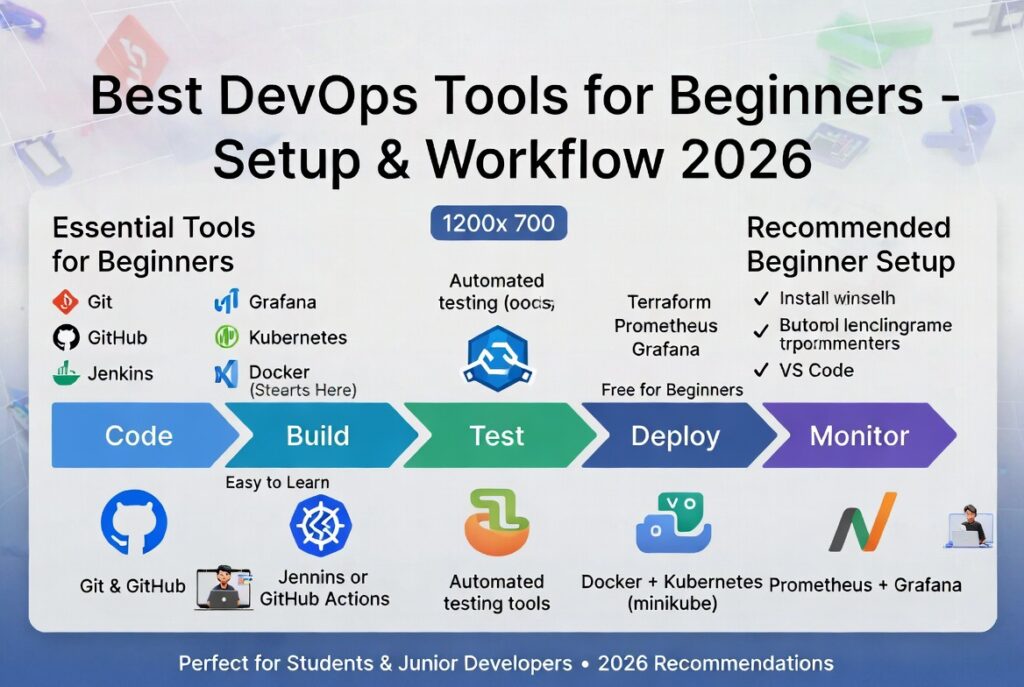
Best DevOps Tools for Beginners (2026 Starter Guide)
The best devops tools for beginners make it easier to understand automation workflows, continuous integration, and modern software delivery practices. If you’re just starting your DevOps journey, choosing the right tools can significantly speed up your learning and improve your practical skills.
DevOps is not just about tools—it’s about culture, collaboration, and automation. However, tools are the foundation that enables teams to implement DevOps practices effectively.

To understand the full ecosystem, explore our
devops automation tools guide.
Why Best DevOps Tools for Beginners Matter
Learning DevOps without the right tools can be overwhelming. The best devops tools for beginners simplify complex workflows and provide hands-on experience with real-world systems.
- help you understand CI/CD pipelines
- enable automation of repetitive tasks
- improve collaboration between teams
- prepare you for real-world DevOps roles
By starting with beginner-friendly tools, developers can gradually build confidence and move to more advanced platforms.
Top DevOps Tools for Beginners
Here are the most recommended devops tools for beginners in 2026:
1. Jenkins
Jenkins is one of the most popular open-source DevOps tools used for building CI/CD pipelines. It allows developers to automate testing and deployment processes easily.
Key features:
- open-source and highly customizable
- supports hundreds of plugins
- strong community support
Learn more:
Jenkins official website
2. GitHub Actions
GitHub Actions is a beginner-friendly CI/CD tool built directly into GitHub. It allows developers to automate workflows using simple configuration files.
- easy to set up
- native GitHub integration
- great for small projects
Compare tools:
Jenkins vs GitHub Actions comparison
3. Docker
Docker is a containerization platform that allows developers to package applications with all dependencies. This ensures consistency across different environments.
- lightweight containers
- easy deployment
- widely used in industry
Official resource:
Docker official site
4. Kubernetes
Kubernetes is an orchestration platform used to manage containerized applications at scale. While it has a learning curve, it is essential for modern DevOps workflows.
- automates deployment and scaling
- handles container management
- used by large-scale systems
Learn more:
Kubernetes documentation
5. Git (Version Control)
Git is a foundational tool for DevOps. It allows developers to track changes, collaborate, and manage code efficiently.
- version control system
- supports team collaboration
- integrates with CI/CD tools
6. Terraform
Terraform is an infrastructure as code tool that allows developers to define and manage infrastructure using code.
- multi-cloud support
- automation of infrastructure
- repeatable deployments
7. Prometheus and Grafana
These tools are used for monitoring and visualization. They help track application performance and system health.
- real-time monitoring
- alerting system
- data visualization dashboards
How to Choose DevOps Tools
Choosing the best devops tools for beginners depends on your goals and experience level.
Here are key factors to consider:
- ease of use and learning curve
- community support and documentation
- integration with other tools
- scalability for future projects
Beginners should start with simple tools like GitHub Actions and Docker before moving to advanced platforms like Kubernetes.
Getting Started with DevOps Tools
Starting with DevOps can feel overwhelming, but a structured approach makes it easier.
Step 1: Learn Git
Understanding version control is the first step in DevOps. Git is used in almost every DevOps workflow.
Step 2: Set Up CI/CD
Use GitHub Actions or Jenkins to create your first automated pipeline.
Step 3: Learn Docker
Containerize your applications to ensure consistency across environments.
Step 4: Explore Cloud Platforms
Cloud services like AWS, Azure, and Google Cloud provide tools for deployment and automation.
Explore:
AWS DevOps tools
Step 5: Practice with Projects
Build small projects and automate deployment pipelines to gain hands-on experience.
Common Mistakes Beginners Should Avoid
When learning DevOps, beginners often make mistakes that slow down their progress.
- trying to learn too many tools at once
- skipping fundamental concepts
- not practicing real-world projects
- ignoring documentation
Focus on mastering a few tools before expanding your knowledge.
Future of DevOps Tools for Beginners
The DevOps landscape is evolving rapidly, with AI and automation playing a bigger role.
- AI-powered CI/CD pipelines
- automated debugging systems
- self-healing infrastructure
Beginners who learn modern devops tools today will be well-positioned for future roles in software engineering.
Conclusion
The best devops tools for beginners provide a strong foundation for learning automation, CI/CD, and infrastructure management. By starting with the right tools and building practical experience, developers can accelerate their DevOps journey.
As you progress, continue exploring advanced tools and workflows to stay competitive in the evolving tech industry.
Read more:
devops automation tools
FAQ
What are the best DevOps tools for beginners?
Popular beginner DevOps tools include Jenkins, GitHub Actions, Docker, Kubernetes, and Terraform.
Is DevOps hard for beginners?
DevOps can be challenging initially, but starting with beginner-friendly tools and practicing regularly makes it easier.
Which DevOps tool should I learn first?
Beginners should start with Git and GitHub Actions, then move to Docker and other automation tools.

Leave a reply