
AWS Pricing for Beginners (2026): How Amazon Web Services Costs Actually Work
AWS pricing guide for EC2, S3, Lambda, AI infrastructure, serverless applications, cloud networking, and AWS cost optimization in 2026.
AWS pricing for beginners is one of the most important topics for businesses, startups, and developers moving applications to the cloud. Amazon Web Services offers flexible pricing models, but understanding how costs work can be confusing for first-time users.
From virtual machines and storage to serverless computing and networking, AWS charges differently depending on the services used, usage duration, and infrastructure scale.
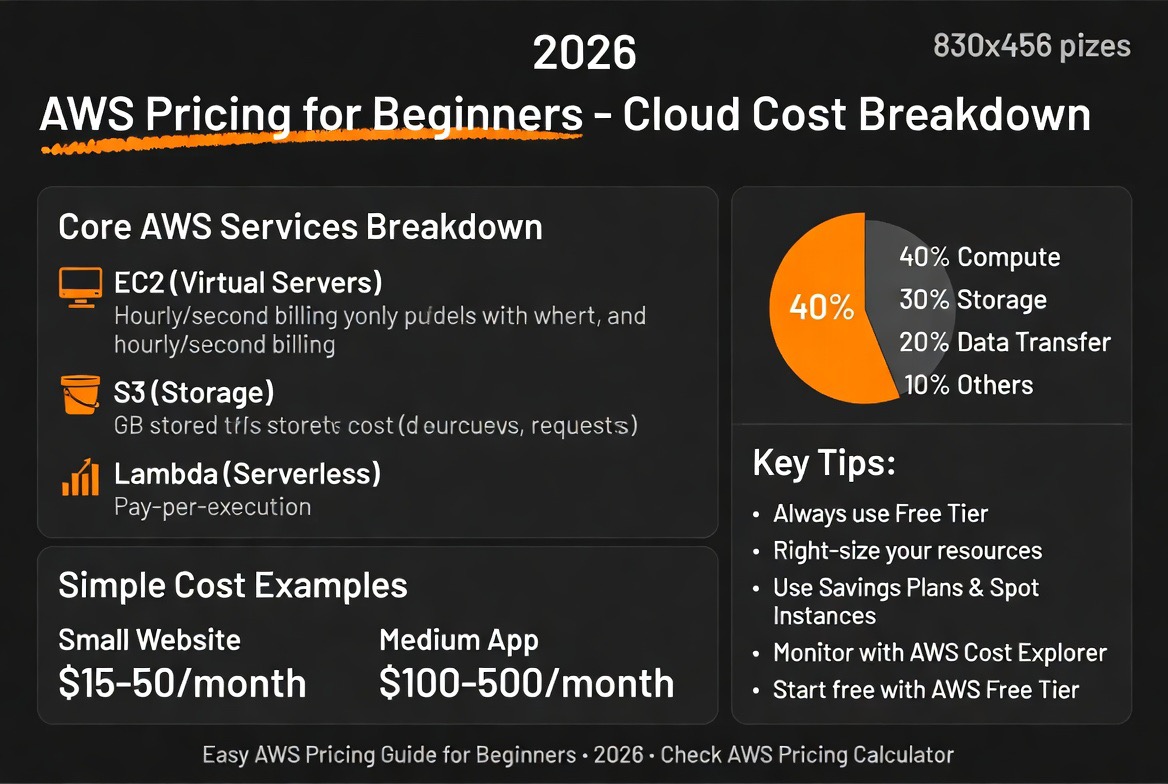
Quick Answer: How AWS Pricing Works
AWS uses a pay-as-you-go pricing model where businesses pay only for the cloud resources they consume.
Pricing depends on compute usage, storage consumption, networking traffic, geographic region, and service configuration.
AWS also offers Reserved Instances, Savings Plans, Spot Instances, and Free Tier services that help businesses reduce infrastructure costs significantly.
If you’re comparing cloud providers, read our
AWS vs Azure vs GCP cost comparison guide.
Why AWS Pricing for Beginners Matters in 2026
Cloud computing adoption is accelerating rapidly as businesses migrate applications, databases, and AI workloads to scalable infrastructure platforms.
However, many beginners underestimate how quickly AWS costs can increase without proper planning.
Understanding AWS pricing for beginners is critical because:
- Cloud costs can scale unexpectedly
- Improper configuration wastes money
- Networking charges are often overlooked
- Optimization strategies significantly reduce expenses
- Different workloads require different pricing models
Businesses that understand AWS pricing early are more likely to scale efficiently while avoiding unnecessary spending.
Why AWS Pricing Feels Complicated for Beginners
AWS pricing complexity comes from the platform’s massive ecosystem and flexible infrastructure options.
Unlike traditional hosting providers with fixed monthly plans, AWS pricing changes dynamically based on usage patterns, scaling behavior, networking traffic, storage tiers, and infrastructure architecture.
Many beginners underestimate:
- Data transfer fees
- Cross-region networking costs
- Idle infrastructure waste
- Monitoring and logging charges
- Storage request pricing
Understanding these hidden infrastructure variables is one of the most important parts of effective AWS cost management.
How AWS Pricing Works
AWS uses a consumption-based pricing system. Instead of purchasing physical servers upfront, businesses pay for the infrastructure resources they actively use.
Pricing depends on:
- Compute usage
- Storage consumption
- Data transfer volume
- Geographic region
- Service type
This flexible pricing structure allows startups and enterprises to scale infrastructure dynamically.
Pay-As-You-Go Pricing
The most common AWS pricing model is pay-as-you-go billing.
Users are charged hourly, per second, or based on request volume depending on the service.
This model is ideal for:
- Startups
- Temporary workloads
- Development environments
- Testing infrastructure
Reserved Pricing
Reserved Instances allow businesses to commit to long-term infrastructure usage in exchange for discounted pricing.
Savings can reach up to 70% compared to on-demand pricing.
Spot Instances
AWS Spot Instances provide access to unused AWS capacity at heavily discounted rates.
These are commonly used for:
- Batch processing
- AI training workloads
- Big data processing
- Fault-tolerant systems
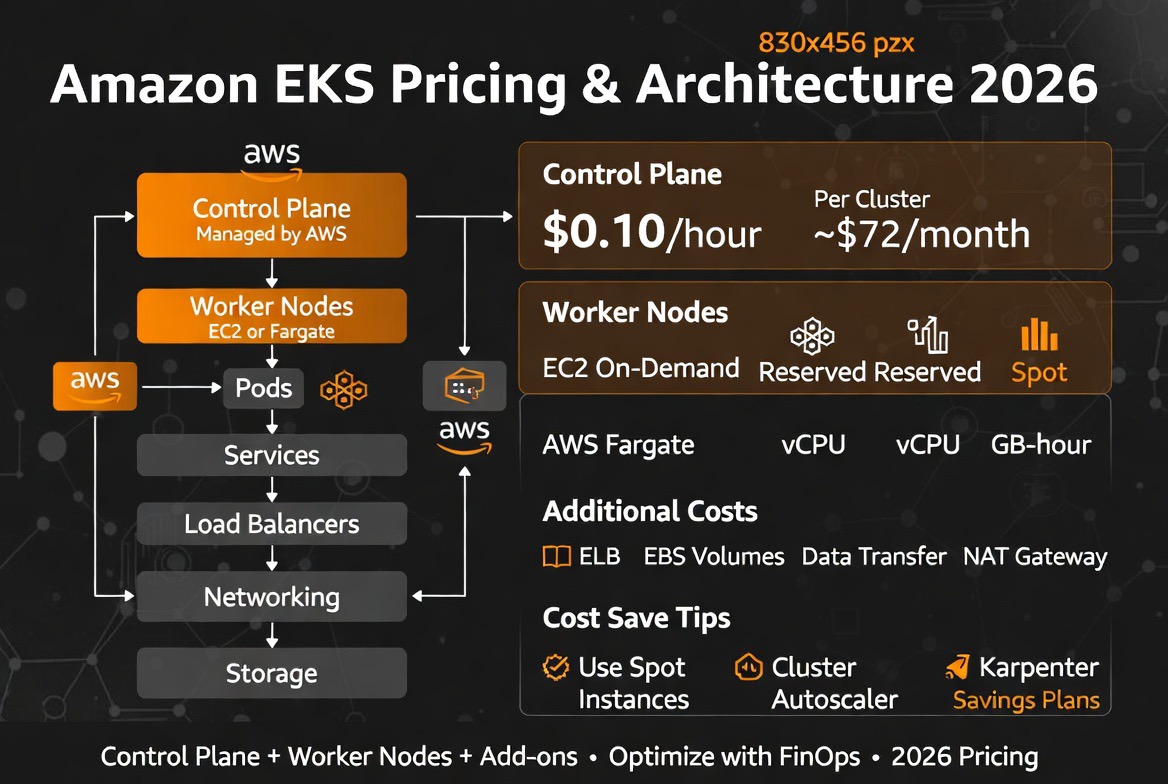
Key AWS Pricing Components
AWS pricing for beginners becomes easier once users understand the platform’s major cost categories.
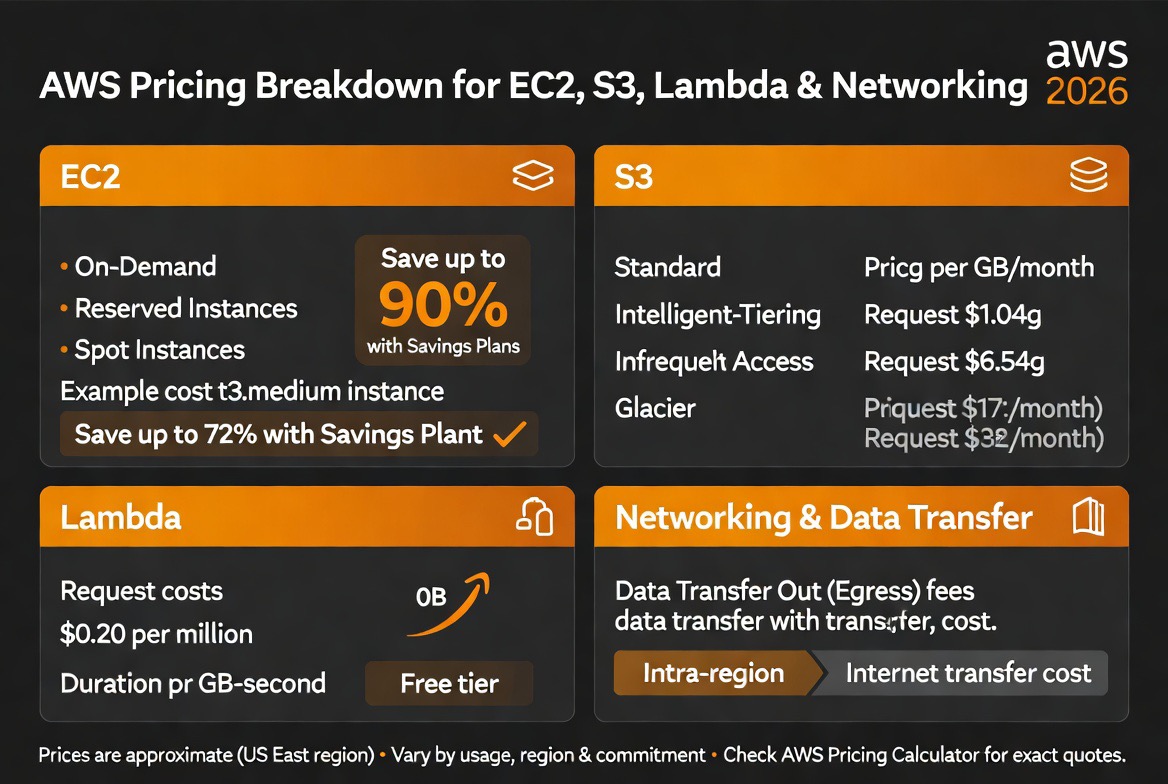
EC2 Pricing
Amazon EC2 (Elastic Compute Cloud) provides virtual servers in the cloud.
EC2 pricing depends on:
- Instance size
- CPU and memory allocation
- Operating system
- Region
- Usage duration
Popular pricing models include:
- On-demand instances
- Reserved instances
- Spot instances
- Savings plans
EC2 costs often represent the largest portion of AWS infrastructure spending.
S3 Pricing
Amazon S3 is AWS’s object storage service used for backups, media storage, data lakes, and application files.
S3 pricing depends on:
- Storage amount
- Storage tier
- Data retrieval frequency
- API requests
AWS provides multiple storage tiers:
- S3 Standard
- S3 Intelligent-Tiering
- S3 Glacier
- S3 Deep Archive
Choosing the correct storage tier is essential for reducing long-term costs.
Lambda Pricing
AWS Lambda uses serverless pricing based on execution requests and compute duration.
This means businesses only pay when code runs.
Lambda pricing works well for:
- Microservices
- Automation workflows
- Event-driven applications
- Backend APIs
For low-traffic workloads, Lambda can be significantly cheaper than running full EC2 servers continuously.
Kubernetes and EKS Pricing
Amazon Elastic Kubernetes Service (EKS) is AWS’s managed Kubernetes platform for container orchestration.
EKS pricing includes:
- Kubernetes control plane costs
- EC2 node pricing
- Storage volumes
- Networking traffic
- Load balancer charges
Poorly optimized Kubernetes clusters are one of the largest sources of cloud waste in modern AWS environments.
Businesses reduce EKS costs through autoscaling, spot node groups, workload rightsizing, and observability tools like Kubecost and OpenCost.
AWS Pricing Comparison Table
| Service | Pricing Model | Best For | Cost Level |
|---|---|---|---|
| EC2 | Hourly / Per second | Virtual servers | Medium to High |
| S3 | Storage-based | Backups and files | Low to Medium |
| Lambda | Per request | Serverless apps | Low for small workloads |
| RDS | Instance-based | Managed databases | Medium |
| CloudFront | Bandwidth usage | CDN delivery | Variable |
AWS Pricing Calculator Explained
The AWS Pricing Calculator helps businesses estimate infrastructure costs before deploying workloads.
Users can calculate estimated pricing for:
- EC2 virtual machines
- S3 storage
- Lambda execution
- RDS databases
- Kubernetes clusters
- AI infrastructure workloads
Using the AWS calculator before deployment helps organizations avoid unexpected billing surprises and improve infrastructure planning accuracy.
FinOps and AWS Cost Governance
As cloud infrastructure spending grows, businesses increasingly rely on FinOps frameworks to manage AWS costs efficiently.
FinOps combines engineering, finance, and operations to improve cloud financial accountability and infrastructure efficiency.
Key AWS FinOps strategies include:
- Cost allocation tagging
- Cloud billing visibility
- Infrastructure rightsizing
- Usage anomaly detection
- Engineering accountability
- Cloud governance automation
Modern AWS environments often use FinOps tools like AWS Cost Explorer, Kubecost, Datadog, and Grafana to improve operational visibility.
Hidden AWS Costs Beginners Often Ignore
One of the biggest mistakes beginners make is focusing only on compute pricing while ignoring hidden infrastructure costs.
Common overlooked charges include:
- Outbound bandwidth and egress fees
- CloudWatch monitoring charges
- Elastic IP pricing
- NAT gateway fees
- Cross-region replication costs
- Idle EC2 instances
- Snapshot storage accumulation
- Load balancer pricing
- Unused EBS volumes
- Serverless execution spikes
These costs can grow rapidly at scale.
Businesses should continuously monitor usage dashboards and billing alerts.
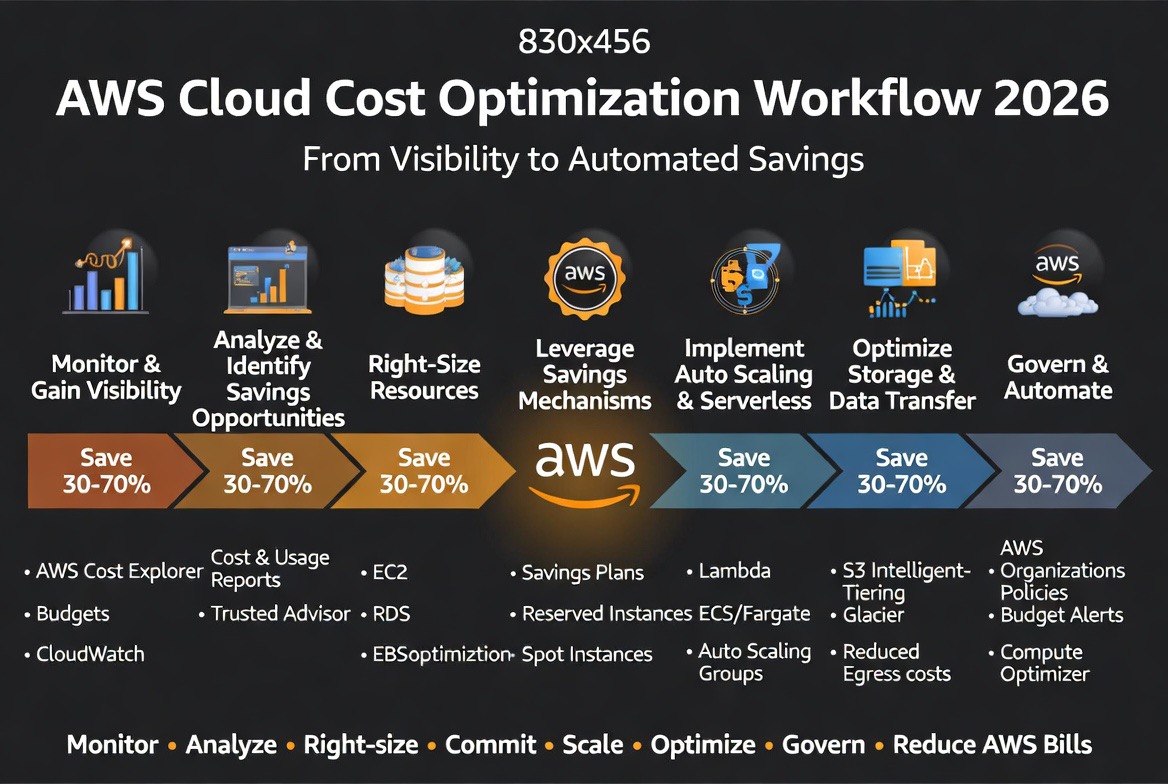
How to Reduce AWS Costs
Reducing cloud expenses is one of the most important parts of AWS pricing for beginners.
Organizations can lower infrastructure spending using proven optimization strategies.
- Right-size EC2 instances
- Delete unused resources
- Use auto-scaling
- Choose cheaper storage tiers
- Leverage reserved instances
- Enable billing alerts
Read our full
cloud cost optimization guide for advanced optimization strategies.
Real AWS Cost Optimization Examples
Reducing Database Costs by Nearly 95%
One production application significantly reduced infrastructure expenses after migrating from Google Cloud SQL to Neon.
The workload did not require continuously provisioned database infrastructure, making serverless scaling dramatically more cost efficient.
The migration reduced database costs by almost 95% while maintaining production reliability.
Reducing Machine Learning Infrastructure Costs by Over 80%
Another optimization involved reducing idle compute costs caused by globally loaded machine learning libraries.
Initially, the application loaded heavy ML dependencies globally:
import onnxruntime
import cv2
import pandas
Instead, dependencies were loaded only when required:
def remove_bg(image):
    import onnxruntime
    from rembg import remove
This optimization was applied across multiple heavy packages including:
- onnxruntime
- opencv
- numpy
- pandas
- PyMuPDF
- pdf2image
- pytesseract
Combined with reducing minimum cloud instances to zero during idle periods, infrastructure costs dropped by more than 80%.
These examples demonstrate how architecture optimization often matters more than raw cloud pricing alone.
AWS Free Tier Explained
AWS offers a Free Tier designed for beginners and small projects.
The Free Tier includes:
- 750 hours of EC2 usage
- 5GB of S3 storage
- 1 million Lambda requests
- Free database usage limits
While helpful for learning, users must monitor usage carefully because exceeding limits results in charges.
AWS Pricing for Startups
Startups often prefer AWS because of scalability, ecosystem maturity, and startup support programs.
Programs like AWS Activate provide cloud credits to qualifying startups, reducing early infrastructure costs significantly.
AWS pricing for beginners becomes more manageable when startups combine free-tier usage with optimized scaling strategies.
AWS Pricing for AI and Machine Learning
AI workloads are becoming one of the fastest-growing cloud infrastructure categories.
AWS offers specialized AI services including:
- SageMaker
- Bedrock
- Trainium chips
- GPU-powered EC2 instances
AI infrastructure costs can increase rapidly, especially for large language model training and inference workloads.
Businesses should carefully monitor GPU usage and storage requirements when deploying AI systems.
GPU infrastructure pricing can become extremely expensive for AI inference and model training workloads.
Organizations increasingly optimize AI infrastructure costs through:
- GPU autoscaling
- Serverless inference
- Spot GPU instances
- Model quantization
- Workload scheduling optimization
Expert Analysis: Is AWS Worth the Cost?
From an infrastructure perspective, AWS remains one of the most powerful cloud ecosystems available today.
The platform provides exceptional scalability, global infrastructure coverage, and advanced service integration.
However, AWS pricing complexity is also one of its biggest challenges for beginners.
In real-world deployments, businesses often overspend because they fail to optimize workloads or choose incorrect pricing models.
For startups and developers, AWS is usually worth the cost when:
- Scalability is important
- Global deployment is required
- AI workloads need advanced infrastructure
- High availability matters
Smaller projects with predictable traffic may sometimes find simpler or cheaper alternatives elsewhere.
Download Free AWS Cost Optimization Checklist
Learn how businesses reduce AWS infrastructure costs with our free optimization checklist.
Prefer direct download?
Download the checklist here
.
Best AWS Cost Optimization Tools
- AWS Cost Explorer — Infrastructure cost analysis and billing insights
- AWS Budgets — Budget alerts and forecasting
- Kubecost — Kubernetes cost monitoring
- Datadog — Cloud observability and infrastructure analytics
- Grafana — Monitoring dashboards and infrastructure metrics
- OpenCost — Open-source Kubernetes cost allocation platform
Official AWS Resources
Future of AWS Pricing in 2026 and Beyond
Cloud pricing models continue evolving as AI infrastructure demand increases globally.
Future AWS pricing trends include:
- AI-driven infrastructure optimization
- Serverless pricing expansion
- More granular billing models
- Custom AI accelerator pricing
- Advanced sustainability-focused infrastructure
Businesses that continuously optimize cloud architecture will gain significant cost advantages in the coming years.
Conclusion
AWS pricing for beginners can initially appear complex, but understanding the core pricing models makes cloud infrastructure far easier to manage.
By learning how EC2, S3, Lambda, networking, and storage pricing work, businesses can deploy scalable infrastructure without overspending.
The key to successful AWS cost management is continuous optimization, monitoring, and selecting the right pricing model for each workload.
Explore more cloud infrastructure insights in our
Tech News section.
AWS Cost Optimization Checklist
- Delete idle EC2 instances
- Use Reserved Instances and Savings Plans
- Enable autoscaling
- Optimize Kubernetes clusters
- Monitor CloudWatch spending
- Review S3 lifecycle policies
- Track networking and egress fees
- Enable billing alerts
- Reduce idle GPU workloads
- Audit infrastructure usage regularly
Written by WaleSteve a cloud infrastructure engineer with experience optimizing AWS and Kubernetes environments for startups and enterprise workloads.
FAQ
How does AWS pricing work?
AWS pricing works on a pay-as-you-go model where users pay for compute, storage, networking, and cloud services based on actual usage.
What is the AWS Free Tier?
The AWS Free Tier provides limited free access to services like EC2, S3, and Lambda for beginners and small projects.
How can beginners reduce AWS costs?
Beginners can reduce AWS costs by using reserved instances, deleting unused resources, enabling auto-scaling, and monitoring billing dashboards.
Is AWS expensive for startups?
AWS can be affordable for startups when using the Free Tier, startup credits, and optimized cloud architecture strategies.

Leave a reply