

Convert PowerPoint to PDF Online Free (PPT & PPTX)
PowerPoint to PDF
Convert PowerPoint presentations (PPT, PPTX) into PDF files.
Drag & drop files here or click to browse
PowerPoint to PDF Converter Online Free
Quick Answer:A PowerPoint to PDF converter converts PPT and PPTX presentations into PDF files while keeping slide layouts, images, fonts, and formatting intact. PDF makes presentations easier to share, print, and open on any device without PowerPoint.
Convert PowerPoint to PDF online without installing software. Our free PPT to PDF converter helps you transform presentations into professional PDF files while preserving slide design, images, text, and formatting.
Whether you are sharing business presentations, lecture slides, project reports, training materials, or proposals, converting PowerPoint to PDF ensures your slides appear exactly as designed.
For more document productivity tools, explore our guide to the best PDF tools in 2026.
PDF to PowerPoint Converter
Why Convert PowerPoint to PDF?
PowerPoint is one of the most popular formats for creating presentations. However, presentations can display differently depending on software versions, installed fonts, and device compatibility.
Converting PPT files into PDF creates a fixed document that preserves the original slide appearance.
Common reasons users convert PowerPoint files to PDF include:
- Sharing presentations with clients
- Submitting school projects
- Creating printable handouts
- Archiving presentations
- Sending business proposals
- Sharing training materials
- Protecting slide layouts
- Creating universal documents
Convert PPT and PPTX Files to PDF
Our PowerPoint to PDF converter supports both PPT and PPTX formats. Whether you are converting a business presentation, school assignment, pitch deck, or training material, the output PDF keeps your slides consistent across devices.
- PPT to PDF conversion
- PPTX to PDF conversion
- Presentation to PDF conversion
- Slide deck to PDF conversion
PowerPoint vs PDF: What’s the Difference?
| Feature | PowerPoint (PPT/PPTX) | |
|---|---|---|
| Editing | Excellent | Limited |
| Animations | Supported | No |
| Layout Preservation | Good | Excellent |
| Printing | Good | Excellent |
| Sharing | Good | Excellent |
| Compatibility | Software Required | Universal |
PowerPoint is designed for creating presentations, while PDF is designed for sharing finalized documents consistently.
How to Convert PPT to PDF Online Free
How to Convert PowerPoint to PDF Online
Converting a presentation takes only a few steps:
- Upload your PPT or PPTX file.
- Click the Convert button.
- Wait while your presentation is processed.
- Download your PDF file.
- Share or print your presentation.
The converter works directly in your browser without requiring Microsoft PowerPoint.
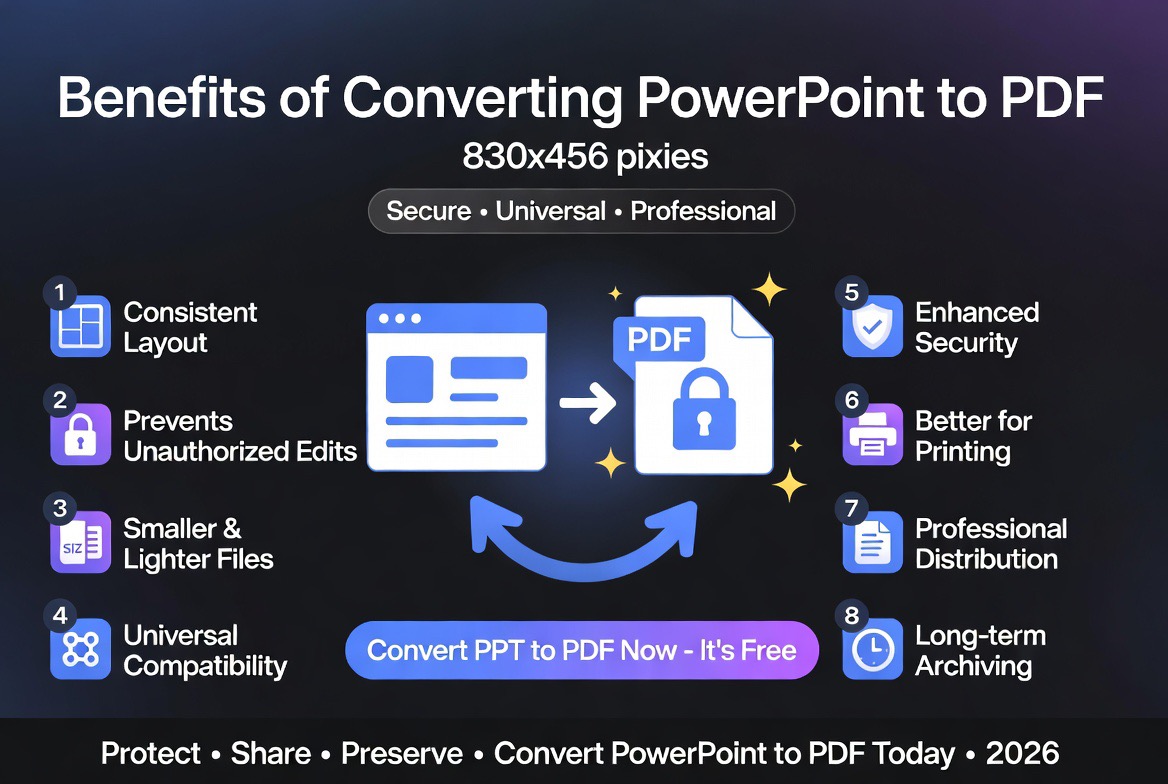
Benefits of Converting PowerPoint Presentations to PDF
1. Preserve Slide Design
PDF maintains your slide structure, images, text placement, fonts, and visual layout.
2. Improve Compatibility
PDF files can be opened on almost any device without requiring presentation software.
3. Create Printable Documents
PDF is ideal for printing presentations, speaker notes, handouts, and reference materials.
4. Prevent Accidental Changes
A PDF version protects the final presentation from unintended edits.
5. Easier Distribution
Sharing a PDF presentation is often simpler because recipients do not need PowerPoint installed.
Who Uses PowerPoint to PDF Converters?
- Business professionals
- Students
- Teachers
- Trainers
- Consultants
- Designers
- Marketing teams
- Researchers
- Small businesses
Anyone who creates presentations can benefit from converting finished slides into PDF format.
Common PowerPoint to PDF Use Cases
Business Presentations
Companies often convert sales decks, proposals, and reports into PDFs before sharing them with customers or partners.
Education Materials
Teachers and students convert lecture slides, assignments, and project presentations into PDFs for easier access.
Training Documents
Organizations use PDF versions of presentations for employee training resources and documentation.
Marketing Materials
Product presentations and promotional slides can be distributed as PDFs to maintain consistent branding.
Project Reports
Teams often convert project presentations into PDFs for documentation and review.
Expert Analysis: Why Presentation PDFs Matter
Based on our evaluation of modern document workflows, converting presentations into PDF remains one of the simplest ways to create a reliable final version of a slide deck.
PowerPoint files are excellent while creating and editing presentations, but they depend heavily on the software environment used to open them.
Missing fonts, outdated presentation software, or device differences can affect how slides appear.
PDF removes many of these variables by creating a consistent viewing experience.
For active collaboration, keep the PowerPoint file. For final distribution, PDF is often the better choice.
PowerPoint to PDF vs Sharing PPT Files
| Factor | PPTX | |
|---|---|---|
| Visual Consistency | Excellent | Variable |
| Editing | Limited | Excellent |
| Printing | Excellent | Good |
| Sharing | Excellent | Good |
| Animations | No | Yes |
When Should You Use PDF Instead of PowerPoint?
PDF is usually the better choice when:
- The presentation is finished.
- You are sending slides to others.
- You need reliable printing.
- You want consistent appearance.
- You are submitting a presentation online.
- You want to prevent accidental edits.
Keep the PowerPoint version if you expect future changes or need animations.
Security and Privacy Considerations
Presentations may contain private business information, research, financial data, or internal materials.
Is PowerPoint to PDF Conversion Safe?
A secure online PowerPoint to PDF converter should protect uploaded files through encrypted processing and automatic deletion after conversion. Avoid tools that store documents permanently or request unnecessary permissions.
Free PowerPoint to PDF Converter Features
- No software installation required
- Works on Windows, Mac, Android, and iPhone
- Supports PPT and PPTX files
- Keeps slide formatting
- Fast browser-based conversion
Learn more about online file protection:
Are Online PDF Tools Safe?
Related PDF Tools
- PDF to PowerPoint Converter
- PDF to Word Converter
- PDF to Excel Converter
- Compress PDF Online
- Merge PDF Online
- Free PDF Tools Comparison
- Easily convert PPT and PPTX presentations into PDFs
Frequently Asked Questions
Is PowerPoint to PDF conversion free?
Yes. You can convert PPT and PPTX presentations into PDF documents for free.
Will my slides keep their formatting?
Yes. Slide layouts, text, images, and design elements are preserved whenever possible.
Can I convert PPTX files?
Yes. Both PPT and PPTX presentation formats are supported.
Can I convert PowerPoint files on mobile?
Yes. The converter works on phones, tablets, and computers.
Do PDF files keep PowerPoint animations?
No. PDF keeps the slide appearance but does not include animations or transitions.
Is PowerPoint to PDF conversion safe?
Yes, when using trusted tools with secure processing and file removal practices.
How do I convert PowerPoint to PDF?
Upload your PPT or PPTX file, click convert, and download your PDF presentation. The process works directly in your browser.
Can I convert PowerPoint to PDF without Microsoft PowerPoint?
Yes. An online PowerPoint to PDF converter allows you to convert presentations without installing Microsoft PowerPoint.
Final Thoughts
A PowerPoint to PDF converter is a useful tool for anyone who needs to share presentations professionally.
Convert your PPT and PPTX files into PDFs to preserve slide designs, improve compatibility, and create easy-to-share documents.