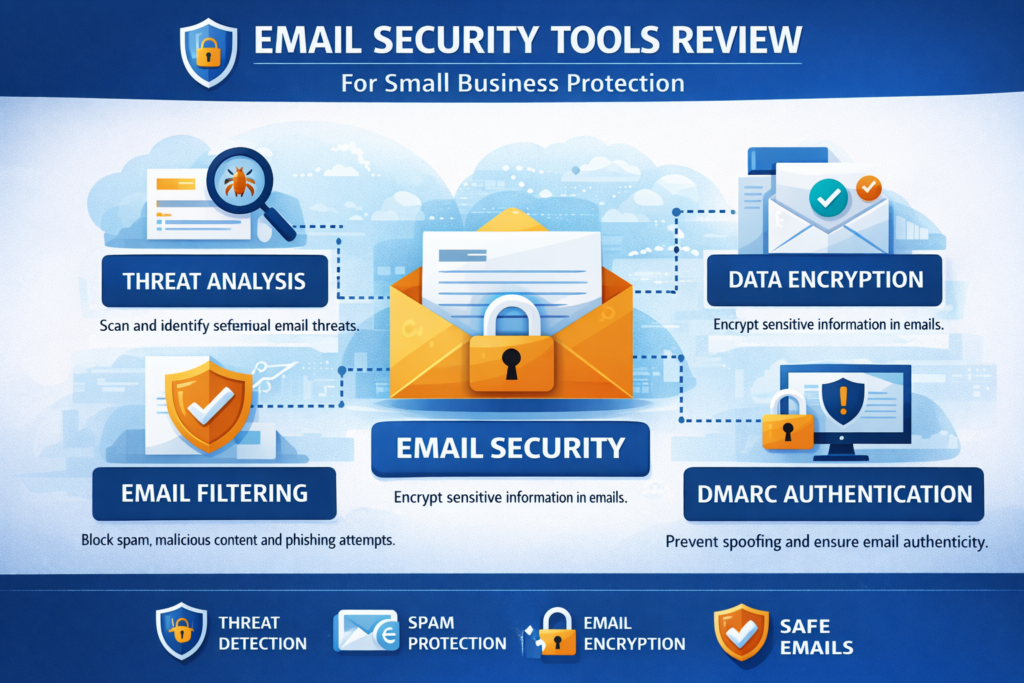
Email Security Tools Review: Best Protection Platforms for SMBs
This email security tools review helps small and medium-sized businesses evaluate the best platforms for protecting communication systems against phishing, spam, malware, and account takeover attacks.
Email remains the number one attack vector for cyber threats. A single phishing email can compromise credentials, deploy ransomware, or expose sensitive company data.
That is why choosing the right email security solution is critical for any business operating in 2026.

If you’re building your full security stack, start with our
cybersecurity tools for small businesses guide.
You should also review our
phishing scam prevention guide.
Why Email Security Tools Matter for SMBs
Small businesses are increasingly targeted because attackers assume weaker defenses. Email-based attacks are often the easiest entry point.
Common threats email security tools protect against:
- Phishing attacks
- Business email compromise (BEC)
- Malware attachments
- Spam and scam emails
- Account takeover attempts
According to guidance from
CISA,
email security remains one of the most critical layers of defense for organizations.
Top Email Security Tools Review (2026)
1. Microsoft Defender for Office 365
Best for businesses using Microsoft 365. Provides advanced threat protection, anti-phishing, and real-time attack detection.
2. Google Workspace Security
Integrated protection for Gmail users with AI-driven spam filtering and phishing detection.
3. Proofpoint Essentials
A strong choice for SMBs needing enterprise-grade email protection with advanced threat intelligence.
4. Mimecast Email Security
Focuses on threat detection, archiving, and email continuity.
5. Barracuda Email Protection
Provides phishing protection, spam filtering, and account takeover prevention.
Email Security Tools Comparison
| Tool | Best For | Key Strength | Pricing Level |
|---|---|---|---|
| Microsoft Defender | Microsoft 365 users | Deep integration | Mid |
| Google Workspace | Gmail businesses | AI spam filtering | Mid |
| Proofpoint | SMBs needing advanced security | Threat intelligence | High |
| Mimecast | Compliance-focused orgs | Archiving + continuity | High |
| Barracuda | Balanced protection | Ease of use | Mid |
Key Features to Evaluate
1. Phishing Detection
Look for AI-based detection that can identify impersonation and social engineering attacks.
2. Spam Filtering
Effective spam filters reduce inbox noise and improve productivity.
3. Malware Protection
Tools should scan attachments and links in real time.
4. Account Protection
Prevent unauthorized logins and detect suspicious behavior.
5. Email Encryption
Important for secure communication and compliance.
Best Use Cases for Email Security Tools
Startups
Google Workspace or Microsoft Defender is often enough.
Growing SMBs
Consider adding Proofpoint or Barracuda for advanced protection.
Regulated industries
Mimecast is strong for compliance and email archiving.
Expert Analysis (E-E-A-T Insight)
From a practical standpoint, most SMBs overestimate how secure their email systems already are. Built-in protections from providers like Google and Microsoft are strong, but they are not always enough against targeted phishing or business email compromise attacks.
In real-world scenarios, the biggest gaps are not technical—they are behavioral. Employees click malicious links, reuse passwords, or fall for impersonation emails. That means the most effective approach combines:
- Email security tools
- Multi-factor authentication
- Security awareness training
In our experience analyzing SMB setups, companies that layer these defenses reduce their breach risk significantly compared to relying on a single solution.
How to Choose the Right Email Security Tool
Choosing the right solution depends on your environment and risk profile.
Ask these questions:
- Are you using Microsoft or Google?
- Do you need advanced phishing protection?
- Do you handle sensitive data?
- What is your security budget?
Simple decision framework:
- Basic protection → native tools (Google/Microsoft)
- Moderate risk → add Barracuda or Defender upgrades
- High risk → Proofpoint or Mimecast
Free Email Security Checklist
Download our checklist to secure your email systems, prevent phishing attacks, and protect business accounts.
Email Security Best Practices
- Enable multi-factor authentication
- Train employees on phishing
- Use strong password policies
- Monitor login activity
- Limit admin access
Email security is not just about tools—it requires continuous monitoring and awareness.
Future Trends in Email Security
Email security is evolving with AI-based threat detection, behavioral analysis, and zero-trust security models.
Expect tools to become more proactive, identifying threats before they reach users.
Stay updated via our
Tech News.
Advanced Email Security Threats SMBs Must Understand
Modern email attacks have evolved far beyond simple spam messages. Today’s attackers use highly targeted, AI-assisted techniques to bypass traditional filters and trick employees.
Business Email Compromise (BEC)
BEC attacks involve impersonating executives or vendors to trick employees into sending money or sensitive data. These attacks are often highly personalized and difficult to detect.
Spear Phishing
Unlike generic phishing, spear phishing targets specific individuals using personal or company information to appear legitimate.
Malicious Links and Zero-Day Attacks
Advanced tools now scan links in real time, but attackers frequently use newly created domains to bypass detection systems.
For deeper protection strategies, review our
phishing scam prevention guide.
Best Cybersecurity Tools for Beginners.
Email Security Architecture for Small Businesses
To properly secure email systems, SMBs should think in layers rather than relying on a single tool.
Layered Email Security Model
- Spam filtering (first line of defense)
- Phishing detection (behavior + AI analysis)
- Malware scanning (attachments and URLs)
- Identity protection (MFA + login monitoring)
- User awareness training
Organizations that implement layered protection are significantly more resilient to attacks.
Email Security Tools vs Secure Email Gateways
Many businesses confuse built-in email protection with full email security platforms.
Built-in Email Protection
- Included with Google Workspace or Microsoft 365
- Basic spam and phishing filtering
- Limited customization
Secure Email Gateways (SEG)
- Advanced filtering and threat detection
- Link rewriting and sandboxing
- Better reporting and control
Tools like Proofpoint and Mimecast operate as secure email gateways, providing deeper protection than default systems.
Email Security ROI: Is It Worth the Investment?
Many SMBs hesitate to invest in email security tools, but the financial impact of a breach can be significant.
Potential Costs of Email Attacks
- Ransomware payments
- Business downtime
- Legal and compliance fines
- Reputation damage
- Lost customer trust
According to
IBM’s data breach report,
the average cost of a data breach continues to rise globally.
For most businesses, even a single prevented attack justifies the investment in email security tools.
Integration with Other Security Tools
Email security should not operate in isolation. It works best when integrated into a broader cybersecurity ecosystem.
Key integrations
- Endpoint security tools
- Identity and access management (IAM)
- Security information and event management (SIEM)
- Cloud security platforms
Explore full stack strategies in our
cybersecurity tools for small businesses guide.
Common Mistakes SMBs Make with Email Security
1. Relying only on default protection
Built-in filters are useful but not always enough against targeted attacks.
2. Ignoring employee training
Human error remains the biggest security risk.
3. Not enabling MFA
Even the best email security tool cannot prevent account takeover if MFA is disabled.
4. Lack of monitoring
Without logs and alerts, businesses may not detect attacks early.
How to Implement Email Security Tools (Step-by-Step)
Here’s a simple rollout plan for SMBs:
- Audit your current email setup
- Enable built-in protections (Google/Microsoft)
- Deploy advanced email security tool
- Enable MFA for all users
- Train employees on phishing awareness
- Monitor logs and alerts
This phased approach helps businesses improve security without overwhelming teams.
Email Security Tools for Different Business Sizes
Small teams (1–10 employees)
Google Workspace or Microsoft Defender with MFA is often sufficient.
Growing SMBs (10–100 employees)
Add Barracuda or Proofpoint for stronger protection.
Advanced SMBs (100+ employees)
Consider Mimecast or full enterprise-grade solutions.
Future of Email Security
Email security is rapidly evolving with AI-driven detection and automation.
Key trends
- AI-based phishing detection
- Behavioral analysis
- Zero trust security models
- Automated incident response
As attackers use AI more effectively, defensive tools must evolve just as quickly.
Stay updated through our
Tech News.
Final Decision Guide
If you’re still unsure which tool to choose, use this quick guide:
- Use Google Workspace? → Stick with native + upgrade if needed
- Use Microsoft 365? → Start with Defender
- Need advanced protection? → Proofpoint or Mimecast
- Need balance? → Barracuda
The best solution depends on your risk level, budget, and business size.
Best Email Security Tools by Budget (2026)
Choosing the right email security solution often comes down to budget, team size, and required features. Small businesses don’t need enterprise complexity, but they do need strong protection against phishing, malware, and impersonation attacks.
Cybersecurity experts emphasize that SMBs should prioritize email protection, endpoint security, and identity tools as core layers of defense. [oai_citation:0‡Mimecast](https://www.mimecast.com/fr/content/cybersecurity-tools-for-smbs/?utm_source=chatgpt.com)
Budget-Friendly Email Security Tools
If you’re just getting started, these tools provide solid protection at a low cost or even free tiers.
| Tool | Best For | Key Features | Pricing |
|---|---|---|---|
| MailScanner | Open-source users | Spam filtering, malware scanning | Free |
| Bitdefender GravityZone | Small teams | AI threat detection, anti-phishing, EDR | Low-cost subscription |
| DNSFilter | DNS-level protection | Blocks malicious domains | Affordable plans |
These tools are ideal for startups or businesses without dedicated security teams but still need strong baseline protection.
Mid-Range Email Security Tools
Growing businesses should invest in tools that combine automation, visibility, and scalability.
| Tool | Best For | Key Features | Pricing |
|---|---|---|---|
| Mimecast | Email protection | Anti-phishing, impersonation detection | Mid-tier pricing |
| SpamTitan | SMBs | Email filtering, link protection | Per mailbox pricing |
| Microsoft Defender for Office 365 | Microsoft users | Built-in protection, threat intelligence | Subscription-based |
Mid-range tools provide a balance between cost and advanced features, making them ideal for scaling businesses.
Enterprise-Level Email Security Tools
Larger organizations or high-risk industries need advanced detection, automation, and compliance features.
| Tool | Best For | Key Features | Pricing |
|---|---|---|---|
| Proofpoint | Advanced threat protection | AI-based phishing detection, DLP | Custom pricing |
| Barracuda Email Security | Cloud protection | Spam filtering, encryption, threat detection | Custom pricing |
| SonicWall Email Security | Network-integrated security | Anti-virus, spam filtering, policy controls | Custom pricing |
Enterprise solutions typically include advanced analytics, compliance features, and deeper integrations with security stacks.
How to Choose the Right Tool for Your Budget
The best tool depends on your business size, risk exposure, and internal expertise. SMBs are often targeted because they lack strong defenses, so even budget tools can significantly improve protection. [oai_citation:1‡Keeper® Password Manager & Digital Vault](https://www.keepersecurity.com/blog/2025/08/27/top-cybersecurity-tools-for-small-and-medium-businesses-smbs/?utm_source=chatgpt.com)
- Startups: Use free or low-cost tools to establish baseline protection
- Growing teams: Invest in automation and centralized dashboards
- Enterprises: Focus on advanced threat detection and compliance
Expert Insight (E-E-A-T)
From a practical standpoint, the biggest mistake small businesses make isn’t choosing the wrong tool — it’s choosing too many tools without proper integration.
In real-world deployments, a simple stack with:
- email security
- endpoint protection
- multi-factor authentication
often outperforms complex setups that teams cannot manage effectively.
The goal isn’t maximum tools — it’s maximum coverage with minimal complexity.
Decision Guide
If you’re deciding quickly:
- Choose budget tools if you’re early-stage
- Choose mid-range tools if you’re scaling
- Choose enterprise tools if security risk is high
Email security is one of the most critical layers because phishing remains the most common attack vector for businesses.
To strengthen your full stack, explore our
cybersecurity tools for small businesses guide.
Best Email Security Tools (Recommended Platforms)
If you’re ready to implement email protection, these platforms are widely used by businesses and offer strong security features across different budgets.
🔐 Mimecast Alternative (Best for SMBs)
Looking for a simpler and more affordable alternative to enterprise tools like Mimecast? Platforms like SpamTitan and Zoho Mail Security provide strong anti-phishing and spam protection without complex setup.
🛡️ Proofpoint Alternative (Best for Growing Businesses)
If Proofpoint feels too expensive or complex, tools like Avanan (now part of Check Point) and Microsoft Defender for Office 365 offer powerful protection with easier deployment and lower cost.
⚡ Quick Setup Option (Best for Beginners)
For startups and small teams, Google Workspace Security or Microsoft Defender provide built-in protection that is easy to activate without extra infrastructure.
Free Security Audit Checklist for Small Businesses
Want to know if your business is actually protected?
Download our Free Cybersecurity Audit Checklist and quickly assess:
- Email security gaps
- Password vulnerabilities
- Endpoint protection status
- Phishing risk exposure
This checklist is used by small teams to identify critical risks in under 15 minutes.
Prefer instant access?
Download the checklist directly
.
How to Take Action (Quick Decision Guide)
If you’re unsure where to start, follow this simple path:
- No protection: Start with built-in tools like Google Workspace or Microsoft Defender
- Basic protection: Upgrade to SpamTitan or similar SMB tools
- High-risk business: Invest in advanced platforms like Avanan or Proofpoint alternatives
Email attacks are one of the most common entry points for cyber threats. Even a simple upgrade can significantly reduce your risk.
For a complete protection strategy, explore our
cybersecurity tools for small businesses guide.
Conclusion
This email security tools review shows that SMBs have strong options for protecting their communication systems.
Whether you choose Microsoft Defender, Google Workspace, Proofpoint, Mimecast, or Barracuda, the key is to combine tools with strong security practices.
Businesses that invest in email security today significantly reduce their risk of costly cyber incidents.
FAQ
What are the best email security tools for SMBs?
Top tools include Microsoft Defender, Google Workspace Security, Proofpoint Essentials, Mimecast, and Barracuda.
Do small businesses need email security tools?
Yes, email is a primary attack vector, making security tools essential for protection.
Are built-in email protections enough?
Built-in tools are helpful but may not stop advanced phishing attacks, so additional layers are recommended.

Leave a reply