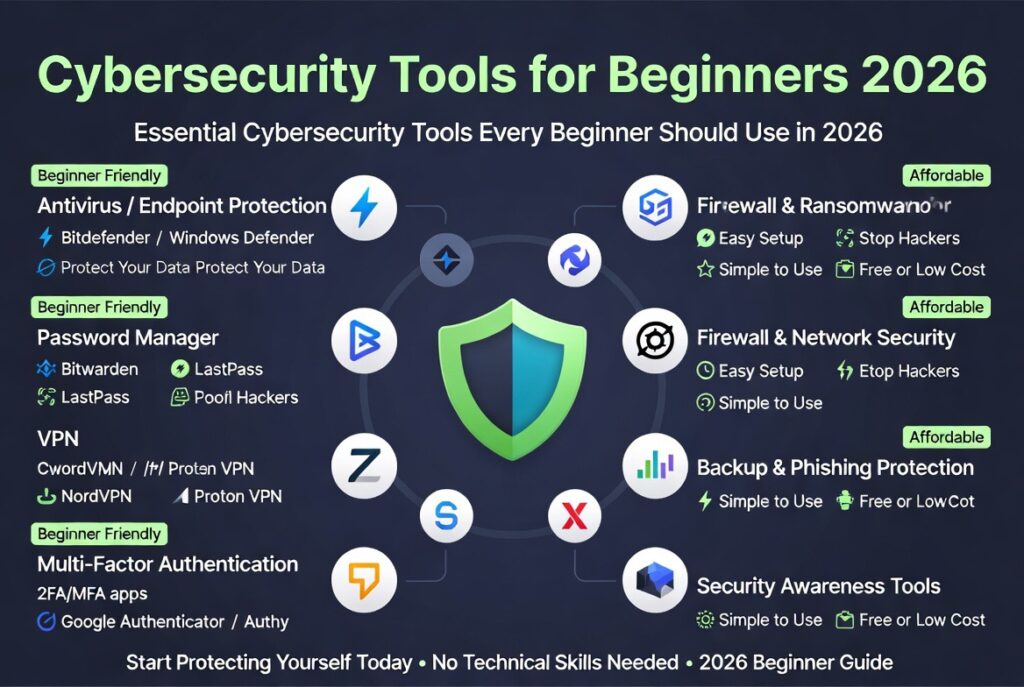
Best Cybersecurity Tools for Beginners (2026 Starter Guide)
Best cybersecurity tools for beginners are essential in 2026 as cyber threats continue to grow in complexity and frequency. Whether you’re an individual, developer, or small business owner, having the right security tools can protect your data, systems, and online identity without requiring advanced technical expertise.
Cybersecurity tools for beginners are simple software solutions designed to protect devices, data, and online accounts from threats like malware, phishing, and hacking—without requiring advanced technical skills.
Best Cybersecurity Tools for Beginners (Quick Picks)
- Best overall antivirus: Bitdefender
- Best free antivirus: Windows Defender
- Best password manager: Bitwarden
- Best VPN: NordVPN
With ransomware attacks, phishing scams, and data breaches on the rise, beginners need simple yet powerful tools to stay protected. The good news is that modern cybersecurity solutions are more user-friendly than ever.

If you’re running a business, also explore our guide on
cybersecurity tools for small businesses.
Why Beginner-friendly Cybersecurity Tools Matter
The importance of cybersecurity cannot be overstated. Even basic online activities like browsing, emailing, or using cloud apps can expose users to risks if proper protection is not in place.
Best cybersecurity tools for beginners help reduce these risks by offering automated protection, real-time monitoring, and easy-to-use interfaces.
- protect personal and business data
- prevent malware and ransomware attacks
- secure online accounts
- ensure safe browsing and communication
According to industry research from
CISA, human error remains one of the biggest causes of security breaches—making beginner-friendly tools critical.
Best Cybersecurity Tools for Beginners (Detailed Breakdown)
There are several categories of cybersecurity tools every beginner should consider. Each plays a different role in protecting your digital environment.
Antivirus Software (Best Picks)
Best overall: Bitdefender — easy to use, strong protection, minimal setup.
Best free option: Windows Defender — already built into Windows and good enough for most beginners.
Best all-in-one: Norton — includes VPN, password manager, and monitoring tools.
- real-time threat detection
- automatic updates
- system scanning
Popular options include
Kaspersky,
Bitdefender, and
Norton.
Firewalls
Firewalls monitor incoming and outgoing network traffic, blocking unauthorized access while allowing legitimate communication.
Most operating systems include built-in firewalls, but additional tools provide enhanced control and monitoring.
- network traffic filtering
- intrusion prevention
- application-level controls
Learn more from
Cloudflare’s firewall guide.
Password Managers
Password managers securely store and generate strong passwords, reducing the risk of account breaches.
- password encryption
- auto-fill login
- multi-device sync
Recommended tools include
1Password and
LastPass.
Email Security Tools
Email remains one of the most common attack vectors. Email security tools help detect phishing attempts and malicious attachments.
- spam filtering
- phishing detection
- attachment scanning
Platforms like
Proofpoint and
Mimecast provide strong protection.
How to Choose Tools
Choosing the best cybersecurity tools for beginners depends on your needs, budget, and level of technical knowledge.
Here are key factors to consider:
- ease of use and setup
- automatic updates and protection
- pricing and subscription model
- compatibility with your devices
- customer support availability
Beginners should prioritize tools that offer simple dashboards and minimal configuration while still providing strong security features.
For a detailed comparison, check out our
endpoint security tools comparison.
Comparison Table
| Tool | Best For | Price | Ease | Key Feature |
|---|---|---|---|---|
| Bitdefender | Beginners | Paid | Easy | Advanced threat detection |
| Windows Defender | Free users | Free | Very Easy | Built-in Windows protection |
| Norton | All-in-one | Paid | Easy | All-in-one security suite |
What I Recommend for Beginners
If you’re just getting started, you don’t need everything.
- Use Windows Defender or Bitdefender
- Install Bitwarden for passwords
- Enable 2FA on all accounts
- Add a VPN only if you use public Wi-Fi often
Detailed Breakdown of Cybersecurity Tools for Beginners
To fully understand the best cybersecurity tools for beginners, it’s important to look deeper into how each category works and when to use them.
Endpoint Protection Tools
Endpoint protection secures individual devices such as laptops and smartphones. These tools combine antivirus, firewall, and behavioral monitoring into one solution.
VPN (Virtual Private Network)
A VPN encrypts your internet connection, protecting your data from hackers—especially on public Wi-Fi networks.
Popular providers include
NordVPN and
ExpressVPN.
Multi-Factor Authentication (MFA)
MFA adds an extra layer of security by requiring a second verification step, such as a code sent to your phone.
Getting Started
Getting started with cybersecurity does not require a large budget or advanced skills. By following a simple setup process, beginners can significantly improve their security posture.
Step 1: Install Antivirus
Choose a trusted antivirus solution and install it on all your devices.
Step 2: Enable Firewall
Ensure your system firewall is active and properly configured.
Step 3: Use Strong Passwords
Set up a password manager and replace weak passwords with strong, unique ones.
Step 4: Secure Email
Enable spam filters and avoid clicking suspicious links or attachments.
Step 5: Keep Software Updated
Regular updates patch vulnerabilities and improve security.
You can stay updated on the latest threats via
Tech News.
Common Mistakes Beginners Make (From Experience)
Even with the best cybersecurity tools for beginners, mistakes can still lead to vulnerabilities.
- ignoring software updates
- using weak or repeated passwords
- clicking unknown links
- not backing up data
Avoiding these mistakes can dramatically reduce your risk of cyber attacks.
Future of Cybersecurity for Beginners
Cybersecurity tools are becoming smarter with AI-driven threat detection, automation, and real-time analytics.
In the future, even beginner tools will include:
- AI-powered threat detection
- automated incident response
- behavior-based security monitoring
This means beginners will have access to enterprise-level protection without complexity.
Best Cybersecurity Tools for Beginners by Use Case
Different users require different security setups. Here’s how beginners can choose tools based on their needs.
For Personal Use
- Antivirus software
- Password manager
- VPN
For Freelancers
- Endpoint security tools
- Secure cloud storage
- Email protection
For Small Businesses
- Firewall systems
- Team password managers
- Network monitoring tools
Explore enterprise-level protection in our
cybersecurity tools for small businesses guide.
Bitdefender vs Windows Defender (Which Should You Choose?)
If you’re deciding between Bitdefender and Windows Defender, here’s the simple breakdown:
- Windows Defender: Best for beginners who want free, built-in protection with zero setup.
- Bitdefender: Better for users who want stronger protection, fewer false positives, and extra features.
For most beginners, Windows Defender is enough. Upgrade only if you need more advanced protection.
Cybersecurity Best Practices Every Beginner Should Follow
- always update software regularly
- avoid public Wi-Fi without VPN
- use strong and unique passwords
- enable two-factor authentication
- backup important data frequently
You can learn more from
UK National Cyber Security Centre
According to cybersecurity guidance from CISA and the UK National Cyber Security Centre, layered security (antivirus, passwords, updates) provides the best protection for beginners.
You don’t need most tools listed online. Many beginners install too many security apps, which can slow down devices and cause conflicts. Start simple and scale only when needed.
Conclusion
The best cybersecurity tools for beginners don’t need to be complicated or expensive. In most cases, a simple setup-Windows Defender, a password manager like Bitwarden, and basic security habits—is enough to stay protected.
As your needs grow, you can upgrade to more advanced tools like Bitdefender or add a VPN for extra privacy. The key is to start simple, stay consistent, and avoid overcomplicating your security setup.
By choosing the right tools and following best practices, beginners can defend against common cyber threats and build a strong security posture.
Read Best Email Security Tools Review for SMBs.
FAQ
What are the best cybersecurity tools for beginners?
The best cybersecurity tools for beginners include antivirus software, firewalls, password managers, and email security tools.
Do beginners need cybersecurity tools?
Yes, beginners need cybersecurity tools to protect their devices, data, and online accounts from cyber threats.
Are free cybersecurity tools enough?
Free tools can provide basic protection, but paid tools often offer advanced features like real-time monitoring and enhanced security.
How do I start learning cybersecurity?
Start by using beginner-friendly tools, learning basic security practices, and staying updated on common threats.
Written by Wale Steve a developer with experience in SaaS security systems.

Leave a reply