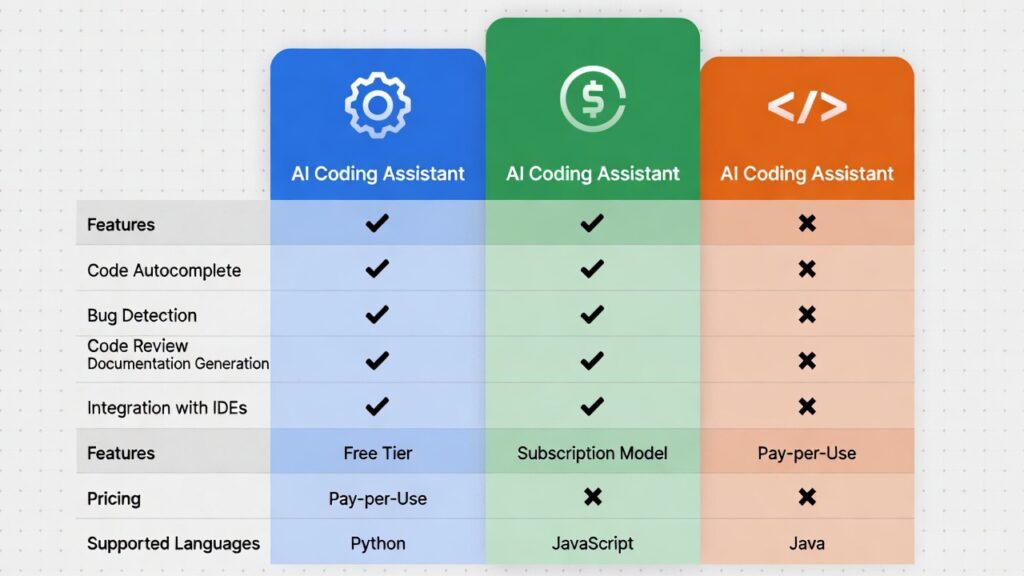
AI Coding Assistant Comparison: Copilot vs Codeium vs Tabnine
AI coding assistant comparison is essential for developers choosing the best AI-powered tools to improve productivity and automate coding tasks.
With the rise of AI in software development, tools like GitHub Copilot, Codeium, and Tabnine are transforming how developers write code, debug errors, and build applications faster than ever.

If you’re new to AI development, start with our guide on
AI developer skills 2026.
What Is an AI Coding Assistant
An AI coding assistant is a tool powered by machine learning models that helps developers write code by providing real-time suggestions, auto-completing functions, and even generating full code snippets.
These tools analyze context and patterns from large codebases to deliver intelligent recommendations, significantly reducing development time.
Top AI Coding Assistants
GitHub Copilot
GitHub Copilot is one of the most advanced AI coding assistants, offering highly accurate code suggestions and deep IDE integration.
Codeium
Codeium is a fast-growing free AI coding assistant that provides strong autocomplete and chat-based coding help.
Tabnine
Tabnine is an AI autocomplete tool focused on speed, privacy, and efficient code generation.
AI Coding Assistant Comparison Table
| Feature | GitHub Copilot | Codeium | Tabnine |
|---|---|---|---|
| Pricing | Paid | Free + Paid | Free + Paid |
| Accuracy | High | Medium-High | Medium |
| Language Support | Wide | Wide | Moderate |
| IDE Integration | Excellent | Excellent | Good |
| Best For | Professional developers | Beginners | Lightweight usage |
Performance and Accuracy Comparison
Performance is one of the most important factors in any AI coding assistant comparison. GitHub Copilot is widely known for its high accuracy and ability to generate complex code snippets based on context. It performs especially well in large projects where understanding code structure is essential.
Codeium delivers strong performance for a free tool, offering fast suggestions and reliable autocomplete across multiple programming languages. While it may not match Copilot in advanced scenarios, it remains highly competitive for everyday development tasks.
Tabnine focuses on speed and lightweight performance, making it ideal for developers who want quick suggestions without heavy system usage. However, its accuracy may be slightly lower compared to more advanced AI-powered tools.
Developer Experience and Workflow Integration
A key factor in choosing the right tool is how well it integrates into your development workflow. AI coding assistants that work seamlessly with popular IDEs like Visual Studio Code, JetBrains, and cloud environments provide a smoother experience and higher productivity.
Another important factor in any AI coding assistant comparison is long-term usability. Developers should consider how frequently the tool is updated, the quality of support, and how well it adapts to new programming languages and frameworks. Tools that continuously improve will provide better value over time and remain relevant as the AI landscape evolves.
GitHub Copilot offers deep integration with multiple IDEs, allowing developers to generate and edit code without switching tools. Codeium also provides excellent integration and is easy to set up, making it beginner-friendly. Tabnine supports a wide range of editors and focuses on simplicity and speed.
Developers should prioritize tools that fit naturally into their workflow to avoid disruptions and maximize efficiency.
For more tools, explore our
best AI developer tools 2026 guide.
Which AI Coding Assistant Is Best
The best AI coding assistant depends on your development workflow, experience level, and budget.
GitHub Copilot is ideal for professional developers who want high accuracy and advanced features. Codeium is perfect for beginners or developers looking for a free alternative. Tabnine works well for developers who prioritize speed and privacy.
Developers should also consider integration with their preferred IDE and the programming languages they use most frequently.
To choose the right tools, review our guide on
AI programming languages for beginners.
Key Factors to Consider
- accuracy of code suggestions
- pricing and subscription model
- IDE compatibility
- security and privacy features
Another important factor is how well the tool fits into your existing workflow. Tools that integrate seamlessly can significantly improve productivity without disrupting your development process.
Download Free AI Developer Roadmap
Want to accelerate your AI career? Download our free AI Developer Roadmap 2026 and learn the exact skills and tools used by professionals.
Prefer direct download?
Click here to download instantly
.
Official Tool Resources
Use Cases for Different Developers
Different AI coding assistants are better suited for different types of developers. Beginners often benefit from tools like Codeium, which provide free access and simple interfaces for learning and experimentation.
Professional developers working on complex applications may prefer GitHub Copilot due to its advanced capabilities and high-quality code generation. It is particularly useful for reducing development time and handling repetitive coding tasks.
Teams and organizations that prioritize data privacy and control may choose Tabnine, as it offers features designed for secure and private code generation environments.
Understanding your specific use case is essential when selecting the best AI coding assistant.
Quick Summary: Best AI Coding Assistant
- Best overall: GitHub Copilot
- Best free option: Codeium
- Best for privacy: Tabnine
Conclusion
This AI coding assistant comparison shows that each tool has unique strengths depending on your needs. Whether you choose Copilot, Codeium, or Tabnine, adopting AI tools will significantly improve your development speed and efficiency.
As AI continues to evolve, developers who leverage these tools early will gain a strong competitive advantage.
Frequently Asked Questions about AI Coding Assistants
Which AI coding assistant is best?
GitHub Copilot is widely used and praised for its accuracy and deep integration with development environments, especially Visual Studio Code. Codeium provides a strong free alternative with generous usage limits and solid performance across many languages. Tabnine emphasizes speed, strong privacy features (especially with its self-hosted/local options), and good context understanding.
The “best” one depends on your specific needs: budget (free vs paid), privacy requirements, preferred IDE, programming languages you use most, and whether you value maximum accuracy over other factors. Many developers actually use more than one depending on the project.
Are AI coding assistants accurate?
Modern AI coding assistants are highly accurate for many common programming tasks, boilerplate code, pattern implementation, and well-documented libraries. They can often produce correct, idiomatic code on the first try.
However, they are not infallible — they can hallucinate non-existent APIs, suggest insecure patterns, miss subtle business logic requirements, produce inefficient code, or fail on very complex/novel problems. Most professional developers treat AI suggestions as strong starting points or references that still require human review, testing, and validation for correctness, security, performance, and maintainability.
Are AI coding assistants free?
It depends on the tool:
- Codeium — generous free individual plan (with paid team/enterprise options)
- GitHub Copilot — requires a paid subscription (individual or business plans), though students, teachers, and open-source maintainers can often get it free
- Tabnine — free Basic plan with limited features, plus paid Pro and Enterprise versions
- Amazon Q Developer (formerly CodeWhisperer) — free individual tier available
- Cursor (AI-first IDE) — free plan with generous limits and paid Pro version
Many developers start with the free tier of Codeium or Tabnine and only upgrade when they need more advanced features or higher usage limits.

Leave a reply